EFT HELPER

//

Check item values in a keystroke, fire gamma presets on a hotkey, build a quest hand-in shopping list, and read ammo penetration at a glance — plus an in-raid overlay so you never alt-tab. One lightweight tray app.

latest: checking…
10toolkit pages
5,000+items indexed
500+quests mapped
38boss profiles
195ammo types
0telemetry
// OPTICS CONTROL  // MARKET INTEL  // BOSS RECON  // QUEST TRACKING  // AMMO BALLISTICS  // HIDEOUT PLANNING  // IN-RAID OVERLAY  // ZERO TELEMETRY  // FREE FOREVER  // STAY FROSTY o7   // OPTICS CONTROL  // MARKET INTEL  // BOSS RECON  // QUEST TRACKING  // AMMO BALLISTICS  // HIDEOUT PLANNING  // IN-RAID OVERLAY  // ZERO TELEMETRY  // FREE FOREVER  // STAY FROSTY o7  
// LOADOUT

Everything in one app — organized like your raid

EFT Helper 2.0 groups its tools the way you actually play: what you touch mid-raid, the intel you check between raids, and the long game. Completely redesigned, same lightweight tray app.

// RAIDdisplay control & in-game panels

Dashboard

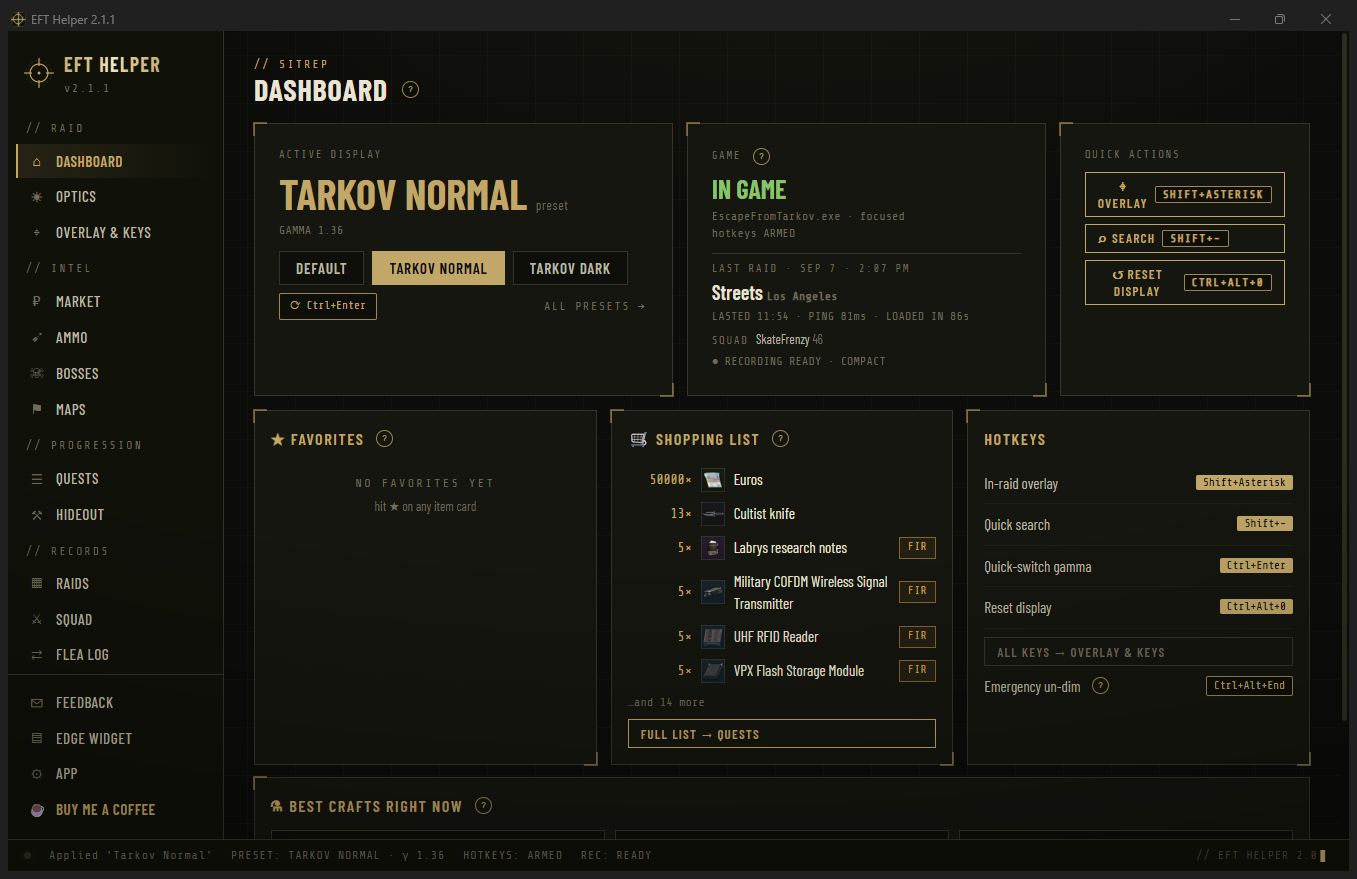
Mission control: what’s applied to your display, whether Tarkov is running, one-tap preset and overlay actions, your favorites watchlist, quest shopping list and every hotkey — all on one screen.

Optics presets

Gamma, brightness, contrast, warmth and dim presets — per monitor, each with its own customizable hotkey. Quick-switch between two presets on one key, nudge gamma with Num +/Num − when you push a dark building, and auto-apply when the game gains focus.

In-raid gamma overlay

Hit F8 (or your own key) and a sleek draggable panel appears over the game — live sliders for every setting, preset chips, and a save-to-preset button. Adjustable transparency. Never alt-tab for gamma again.

Quick search

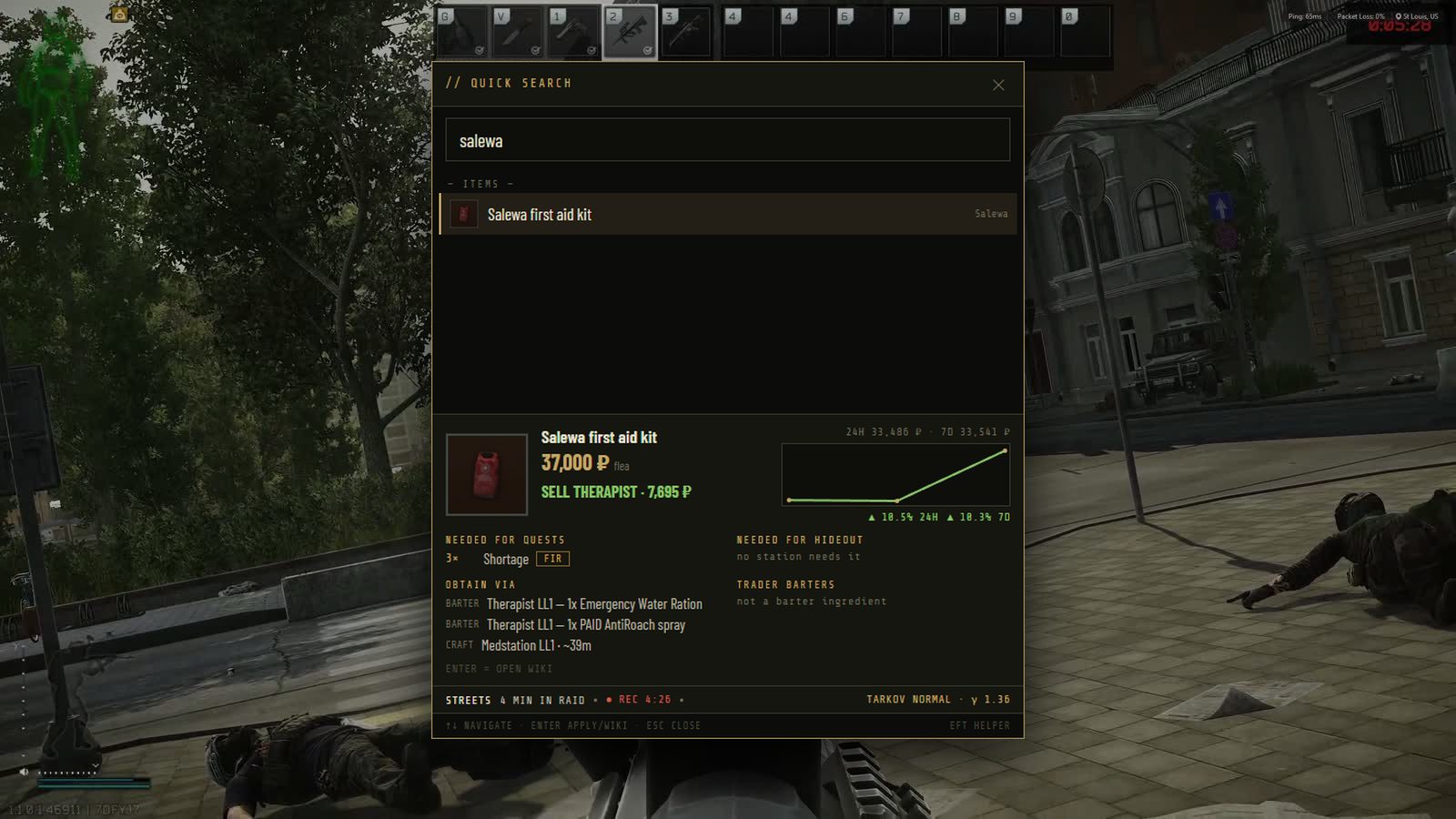
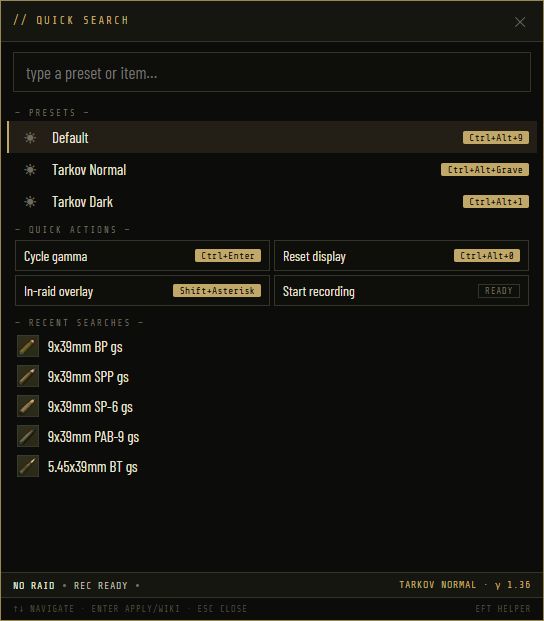
One box on F10 searches presets, items and quests. Items open a full card in-game: price trend chart, best sell, barters, quest & hideout needs. Quests show objectives and a wiki guide — and you can mark them tracked or done right from search.

Hotkeys, your way

Every hotkey is fully customizable — presets, overlay, search, cycling, reset, nudge. Optionally gate them to fire only while Tarkov is focused, so they never touch your desktop.

// INTELprices · ballistics · bosses · maps

Market

Live flea price, best trader sell, 24h/7d trend chart, and everything an item is for — quest hand-ins, hideout upgrades, barters that use it, and how to obtain it. Pin ★ favorites for instant lookups.

Ammo ballistics

All 195 rounds with big, readable pen/damage stats, armor-class blocks showing what each round pierces, and honest flags — no-flea, craft-only, trader, barter. Pin your favorite calibers to the top.

Boss recon

Every boss profiled: HP on a body-part visual, spawn maps with percentages, guards and gear — plus which rounds one-tap a head or thorax, filtered by your pinned calibers.

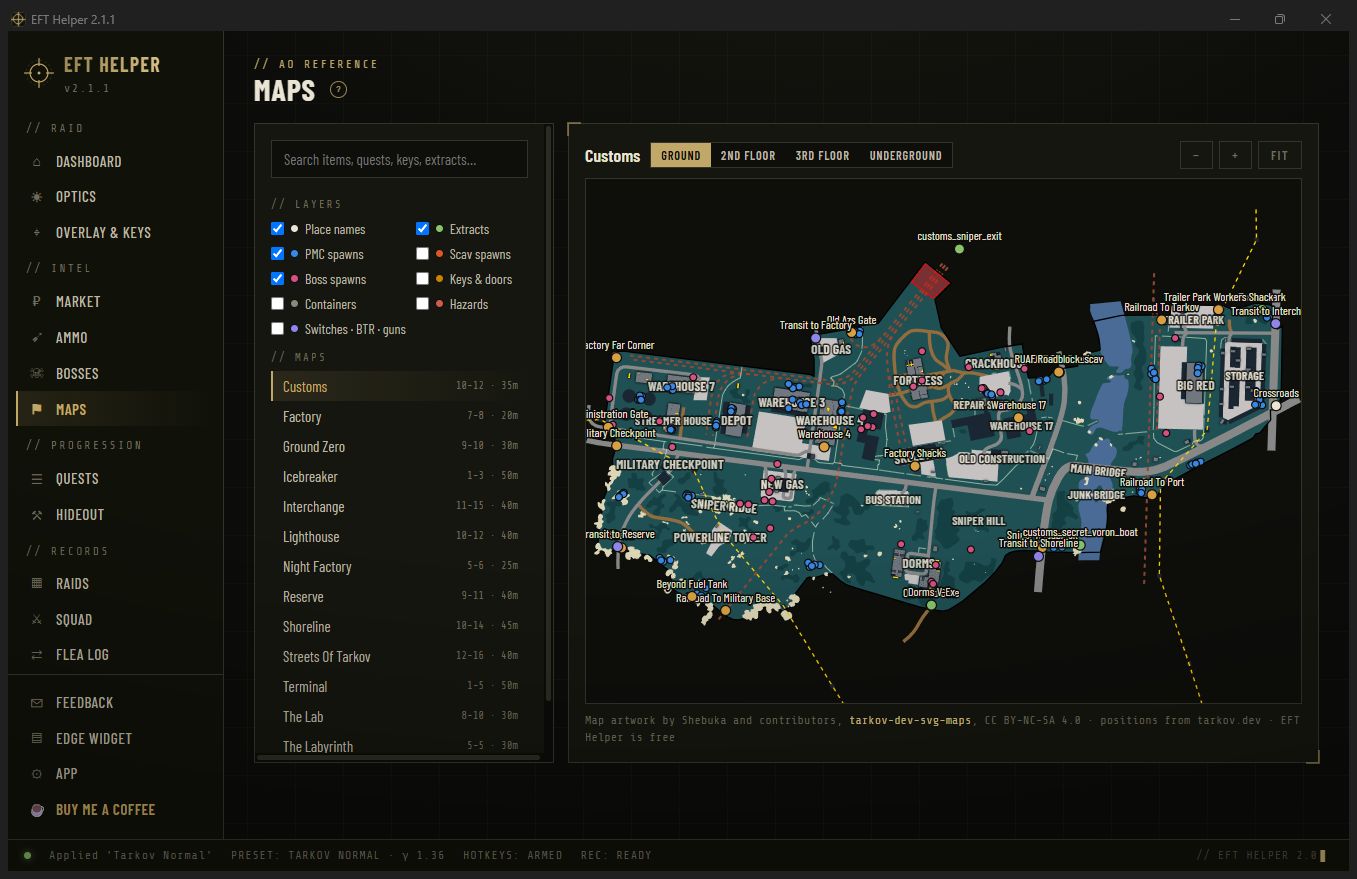
Map briefings

Player counts, raid timers and boss spawn odds for every map, with one click out to a full interactive map when you need the details.

// PROGRESSIONquests & hideout

Quest tracker

500+ quests by trader with requires/unlocks chains. Track what you’re running, mark quests done (prerequisites cascade automatically), and get a shopping list of every hand-in item you still owe — FIR flagged. Community-wiki guides load right on the quest card.

Hideout planning

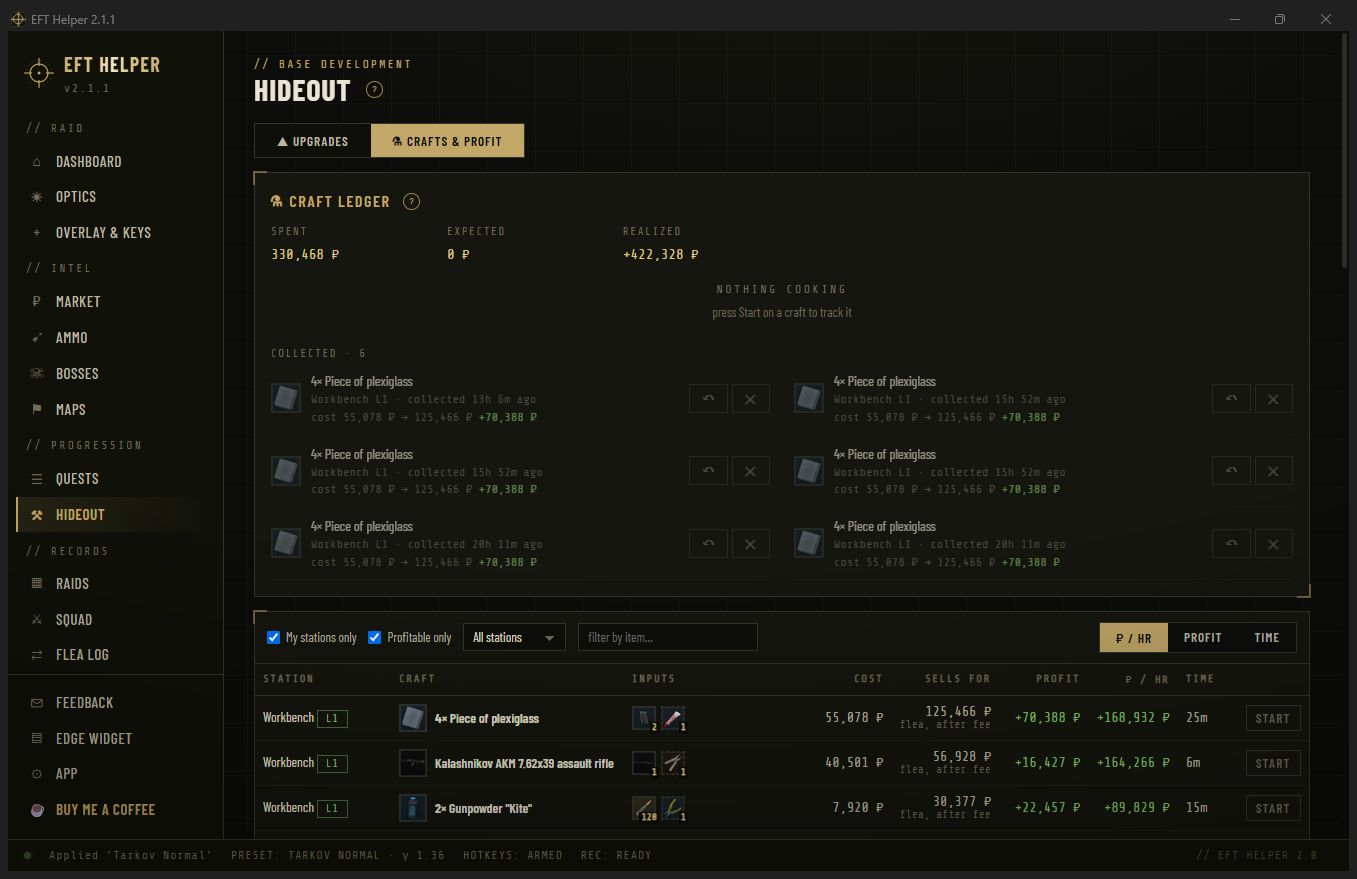
Per-level upgrade requirements for all 26 stations — and every item card warns you if something is needed for a hideout upgrade before you vendor it.

// SYSTEMthe boring stuff, handled

Auto-updates

The app checks for new versions on launch and installs them in one click. New features land without re-downloading anything.

Feedback, built in

The feature-request and bug board from this site lives inside the app too — same board, synced both ways. Post from the app, vote from the site, or vice versa.

💾

Config backup

Export your whole setup — presets, hotkeys, favorites, quest progress — to a single file, and restore it on a new PC. Zero telemetry either way; nothing ever leaves your machine.

// VISUAL CONFIRMATION

Screenshots

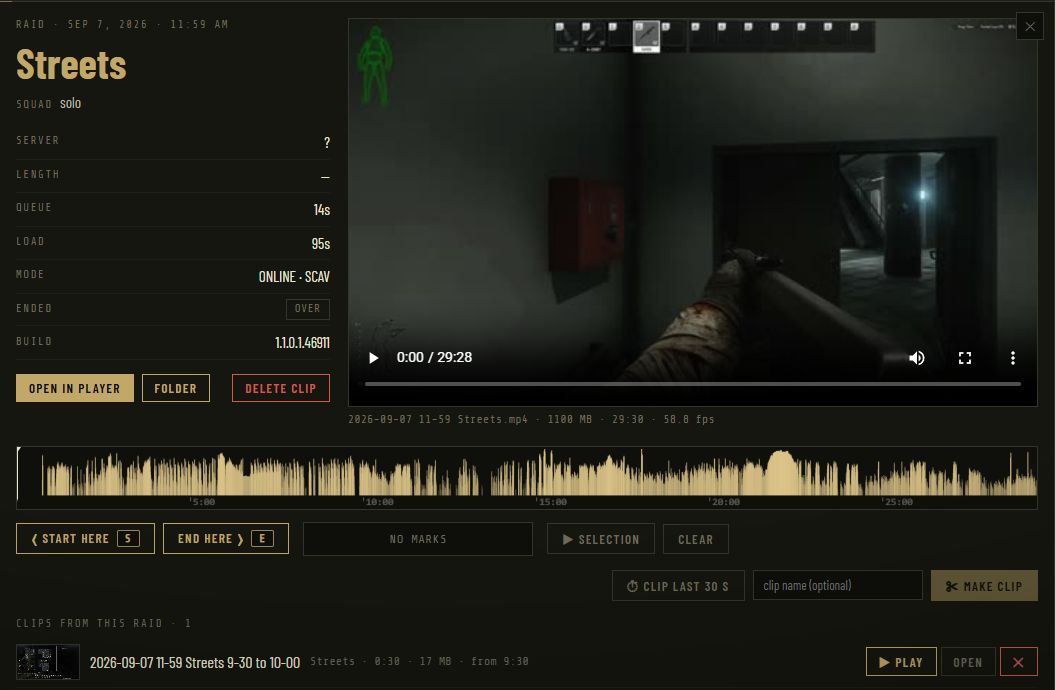
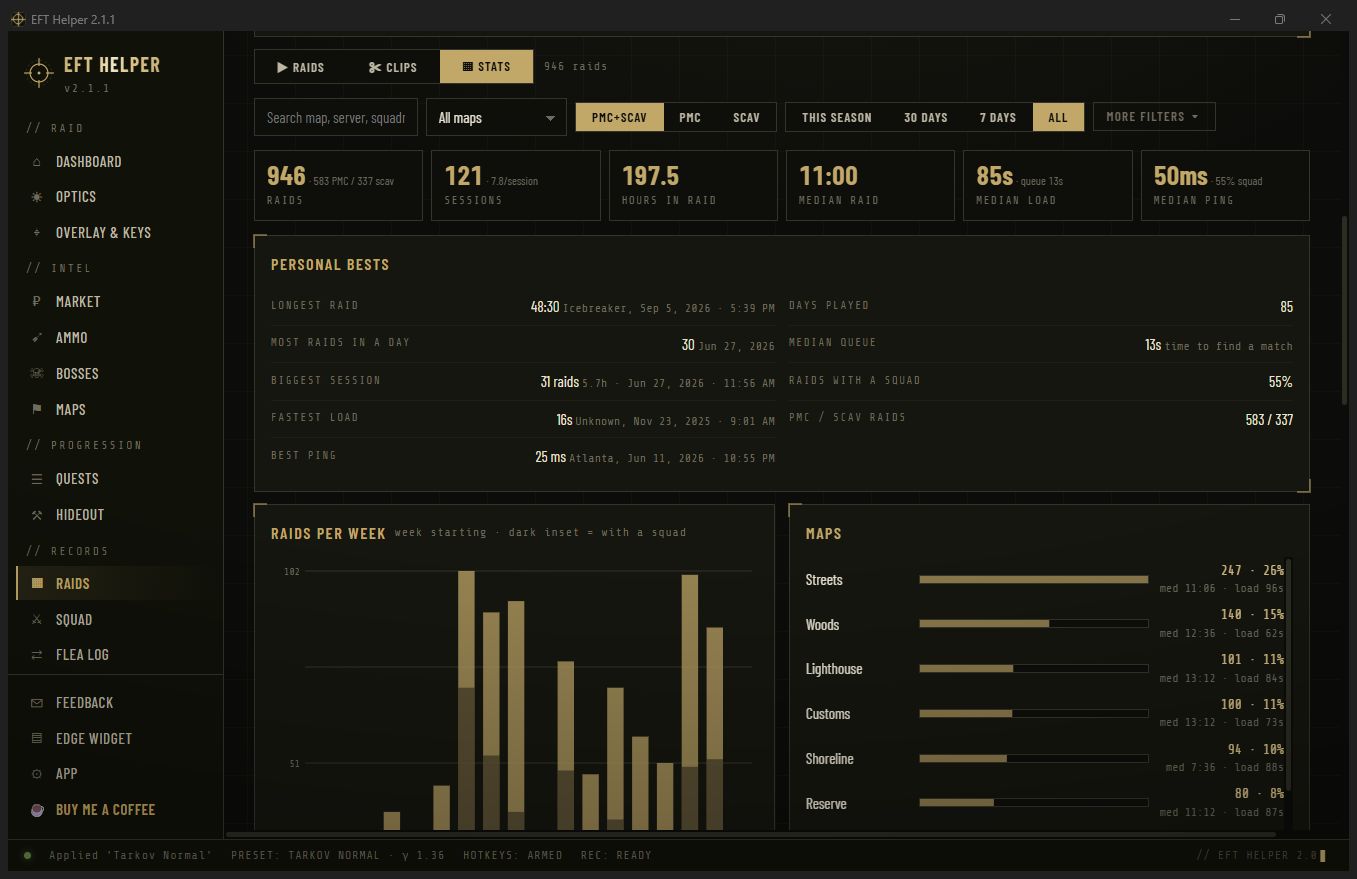
EFT Helper screenshot
Quick search (F10) — a full item card in-game: price trend, best sell, barters, quest needs
// DEPLOYMENT

Install ~60 seconds, no admin needed

Download

Grab EFTHelperSetup.exe (~24 MB). No Python, no dependencies — and it installs per-user, so no admin prompt.

Run the installer

Windows SmartScreen may say "Windows protected your PC" — that's because the app isn't code-signed (normal for free indie tools). Click More info → Run anyway.

Find the reticle

The app lives in your system tray (gold reticle icon by the clock). Double-click to open, right-click for quick actions. The HOME tab has a full guide.

Set Tarkov to borderless

In EFT: Settings → Graphics → Screen mode → Borderless. Exclusive fullscreen resets gamma and blocks overlays.

⚠ Antivirus note: some AV products false-flag any unsigned app that registers global hotkeys. The app is a plain Python/Tkinter program bundled with PyInstaller — no game hooks, no injection, no memory reading. Whitelist it if your AV complains.
// FIELD REPORTS

Reviews rate it — no account needed

no reviews yet

Leave a review

loading…
// SUPPORT THE PROJECT

Keep the servers cheeki breeki

EFT Helper is free and always will be — no ads, no accounts, no paywalled features. If it saved your raid (or your hideout budget), you can fuel future updates with a coffee.

☕ Buy me a coffee

ko-fi.com/stutterfrenzy · one-time or monthly, your call

// COMMS CHANNEL

Roadmap & bug reports no account needed

Request a feature and upvote the ones you want most, or report a bug you hit in the field. Public, anonymous, one vote per person — no sign-up, no email. Be cool; spam gets nuked.

Request a feature

loading…
// PATCH NOTES

Changelog

What's new in each release. The app auto-updates itself, so you're always on the latest.

v2.1.1Aug 2026latest
  • Fixed: the app wouldn't actually close. Quitting from the tray shut the window but left EFT Helper running in the background — and because only one copy may run at a time, it couldn't be reopened without killing it in Task Manager. It now exits properly, whether you quit from the tray or close the window.
  • Fixed: the tray opened the old interface. "Open EFT Helper" (and double-clicking the tray icon) brought up the pre-2.0 window instead of the current one. The tray menu now opens the real app — as do Quick Search and Gamma Overlay from the same menu.
v2.1.0Aug 2026
  • A proper installer. EFT Helper now installs like a normal Windows app — one Start Menu entry, an Add/Remove Programs record and a real uninstaller. No unzipping, no admin prompt, and updates replace the old version instead of leaving copies scattered around. Your presets and quest progress are never touched.
  • CORSAIR XENEON Edge widget. If you have a CORSAIR LCD panel, you can now put your favorites, your quest shopping list and your starred quests on it — live flea prices, hand-in counts and Found-in-Raid flags, updating while you play. Show one list or stack all three.
  • Design your own cards. A visual builder inside the app (Edge Widget in the sidebar) lets you pick exactly what each item shows — flea price, the quests that need it, hideout use, barters, trader sell price, ammo penetration — arrange it, size it, and preview it at true panel size before you use it. It tells you live whether everything still fits.
  • Star quests for the panel — hit ☆ Edge on any quest and it appears on the display; tap it on the touchscreen to expand its objectives.
  • Fixed Start minimized to tray, which had quietly stopped working in 2.0 — and the tray icon now reopens the right window.
v2.0.0Aug 2026
  • Complete visual overhaul. The whole app has been redesigned from the ground up to match this site — same lightweight engine underneath, a far better-looking and better-organized interface on top: RAID, INTEL and PROGRESSION sections instead of a wall of tabs.
  • New Dashboard — your display state, game detection, one-tap actions, favorites watchlist, quest shopping list and all hotkeys on one screen.
  • Quick search and the in-raid gamma overlay were rebuilt — sleeker, draggable, adjustable transparency, and you can now track or complete quests straight from search.
  • Wiki guides on quest cards — a how-to from the community wiki loads right under the objectives.
  • Feedback board in the app — request features and report bugs without opening the site; it’s the same board, synced both ways.
  • Config backup & restore, a first-launch tour, honest “data source unreachable” screens with retry, real Startup settings (launch with Windows, start minimized), and the window remembers its size and position.
  • Dozens of polish touches: dark titlebar, custom scrollbars, animations, and every hotkey shown in-app now reflects your bindings.
v1.1.4Aug 2026
  • Fixed ammo ballistics not showing on item cards — quick-search a round again and you'll see penetration, damage and the armor-class blocks.
v1.1.3Jul 2026
  • Big reliability fix: item barters, quests, hideout and ammo info now load from a more dependable source — so they keep working even when the data provider has an outage (this fixes the recent "info won't show up" issue).
  • Bosses, maps and all the reference tabs moved to that same resilient source, and everything caches locally so it works offline too.
  • Items now open their wiki page when you hit Enter.
  • Hideout requirements now show a FIR tag when an item must be Found-in-Raid.
  • New PvE / Regular data toggle in Settings.
v1.1.2Jul 2026
  • Only one copy of the app can run at a time now — no more accidental duplicate windows.
  • Hotkeys only fire while Tarkov is in focus, so keys like Shift + − stop doing anything on your desktop once you've closed the game. (And every hotkey is fully customizable.)
  • Fixed a rare "Python DLL" error that could appear right after an auto-update.
v1.1.1Jul 2026
  • Added quick links inside the app (HOME tab) to the website, the feature & bug tracker, and Ko-fi.
  • Fresh screenshots showing the overlay and quick-search running live over the game.
  • Naming and text cleanup.
v1.1.0Jul 2026
  • New Bosses tab: HP on a body outline, spawn maps with location odds, guard escorts, and typical gear.
  • Quest hand-in shopping list — every item you still owe, Found-in-Raid flagged.
  • Smarter, type-aware item stats, pinned ★ favorites, and assorted fixes.
v1.0.0first release
  • Gamma / brightness / contrast presets on global hotkeys, plus a draggable in-raid overlay.
  • Universal quick search: live flea & trader prices, 24h low/high, and 7-day charts.
  • Maps, ammo ballistics, quests and hideout reference — all from one lightweight tray app.
  • One-click auto-updates and zero telemetry.
// FAQ

Frequently asked questions

What is EFT Helper?
EFT Helper is a free, unofficial companion app for Escape from Tarkov on Windows. It gives you instant item value lookups, flea market and trader prices, gamma-preset hotkeys, a quest hand-in shopping list, ammo penetration charts, boss intel, and an in-raid overlay — all from one lightweight tray app.
Is EFT Helper free?
Yes — completely free, with no ads, no accounts, and no paywalled features. It's supported by optional Ko-fi donations.
How do I look up an item's value in Tarkov?
Open EFT Helper's quick search with a hotkey and type any item name. It shows the live flea market price, the best trader sell price, 24-hour low/high, a 7-day price chart, and which quests, barters and hideout upgrades use that item.
Can I change the hotkeys?
Yes — every hotkey is fully customizable. In Settings you can rebind any display preset, the in-raid overlay, quick search, A/B preset cycling, reset, and the gamma-nudge keys to whatever combination you like. You can also set hotkeys to fire only while the game is in focus, so they never interfere with your desktop.
Where does EFT Helper get its prices and data?
Flea & trader prices come from Tarkov Market; item, quest, ammo and hideout data comes from tarkov.dev. Data refreshes automatically, and both PvP and PvE flea prices are supported.
Is EFT Helper safe, and does it read the game?
EFT Helper never reads or writes game memory, injects code, or automates inputs. It adjusts your monitor's gamma (a normal Windows display/driver setting) and shows a top-most overlay window similar to Discord's. Prices and quest data are fetched from public APIs.
How do I install EFT Helper?
Download EFTHelperSetup.exe from this site and run it. No admin rights needed and it installs in seconds — it lands in your Start Menu and Add/Remove Programs like any normal app. After the first install it auto-updates itself.
Is EFT Helper official or affiliated with Battlestate Games?
No. EFT Helper is an unofficial, fan-made tool and is not affiliated with, endorsed by, or sponsored by Battlestate Games. Escape from Tarkov is a trademark of Battlestate Games.
// OPSEC

Privacy

What the app never does

  • No telemetry, analytics or tracking of any kind
  • No account, no login, no e-mail
  • Never sends your data anywhere — there is no app server
  • No game memory reading, hooks or injection
  • No background services — close it and it's gone

What it does (all outbound-fetch only)

  • Fetches game data (items, quests, bosses, maps) from tarkov.dev
  • Fetches flea prices from Tarkov Market
  • Checks a version manifest on our file host for updates
  • Stores your settings locally at %APPDATA%\EFTHelper\
  • Caches reference data on disk so it works offline
Plain English: those services see an ordinary web request from your PC (like visiting their site) and nothing else. Your presets, quest progress, favorites and API key never leave your machine.
About this website: the site you're reading uses privacy-friendly, cookieless analytics (Cloudflare Web Analytics) to count visits — no cookies, no personal data, no cross-site tracking, no ad networks. That's separate from the app itself, which collects nothing at all.
// INTEL SOURCES & LICENSES

Credits & disclosures

Data providers

tarkov.dev Community-run open-source Tarkov API — items, quests, hideout, maps, bosses, ammo, price history. Item & boss imagery shown inside the app is served from their community database.free / open source
Tarkov Market Live flea-market price API (developer API used with an API key).API w/ key

Open-source software

Python + TkinterRuntime & UI toolkitPSF license
sv-ttkSun Valley ttk theme (light/dark modes)MIT
keyboardGlobal hotkeysMIT
pystraySystem-tray integrationLGPL-3.0 / GPL-3.0
PillowImage handlingMIT-CMU
PyInstallerWindows executable packaging (build tool)GPL-2.0 + exception
Barlow Condensed / Share Tech MonoThis website's typefacesOFL
Unofficial project. EFT Helper is a fan-made tool. It is not affiliated with, endorsed by, or connected to Battlestate Games Limited in any way. Escape from Tarkov® and all related names are trademarks of Battlestate Games Limited. This site uses no official game assets — the reticle logo and theme are original work inspired by the game's aesthetic. Game-data imagery visible in app screenshots is served by the community-maintained tarkov.dev database and remains the property of its respective owners.