The second screen, organised like your raid prep
Market, Ammo, Bosses, Quests and Hideout are the pages you keep open on the other monitor. They share one item database, so an item on the Market page knows which quest wants it, an ammo row knows which boss it one-taps, and a hideout craft knows what its inputs cost right now.
Prices with the context that decides what you do with the thing
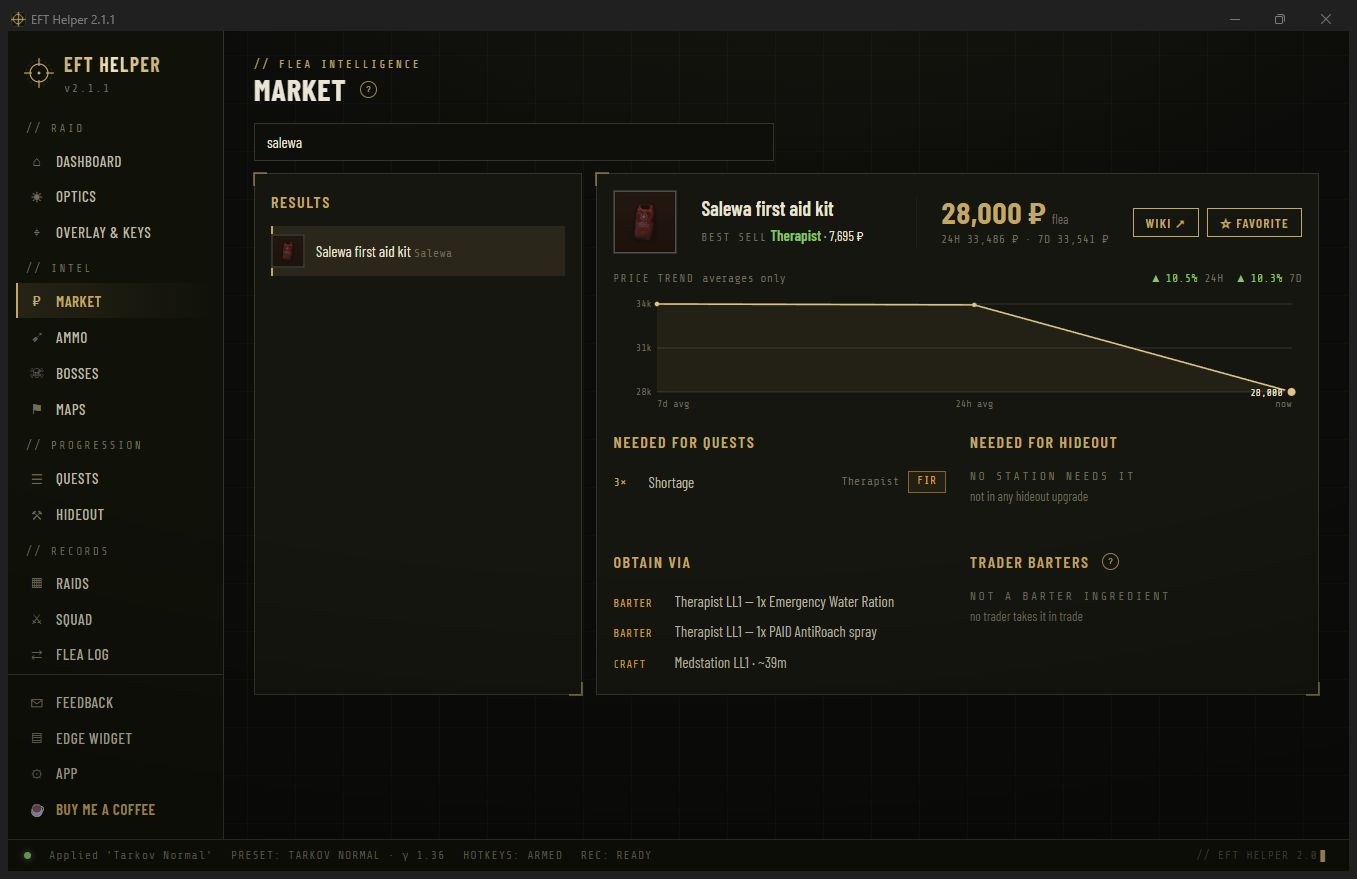
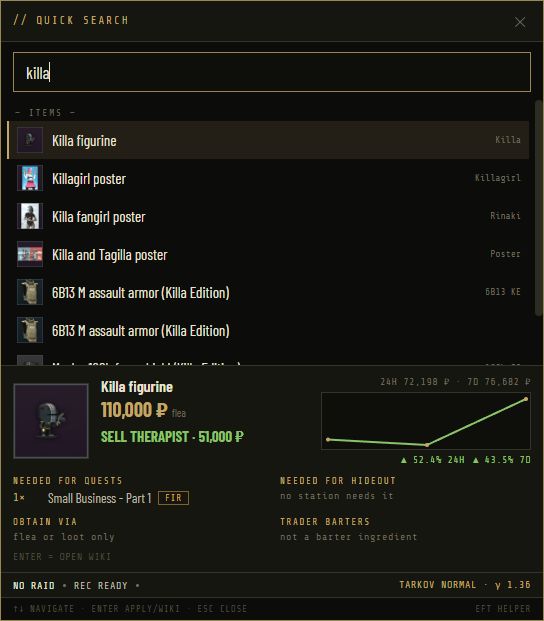
Search 5,000 items by name or short name. Each card shows the flea price and its 24 hour and 7 day trend, the best trader to sell to, and four sections that answer the real question: needed for quests, needed for hideout, obtain via, and trader barters that use it as an ingredient.
- Favourites pin items to the dashboard and the Xeneon Edge widget
- Flea-banned items get the same card with the trader route instead of a price
- Prices from Tarkov Market, refreshed as you look
Penetration you can read from across the room
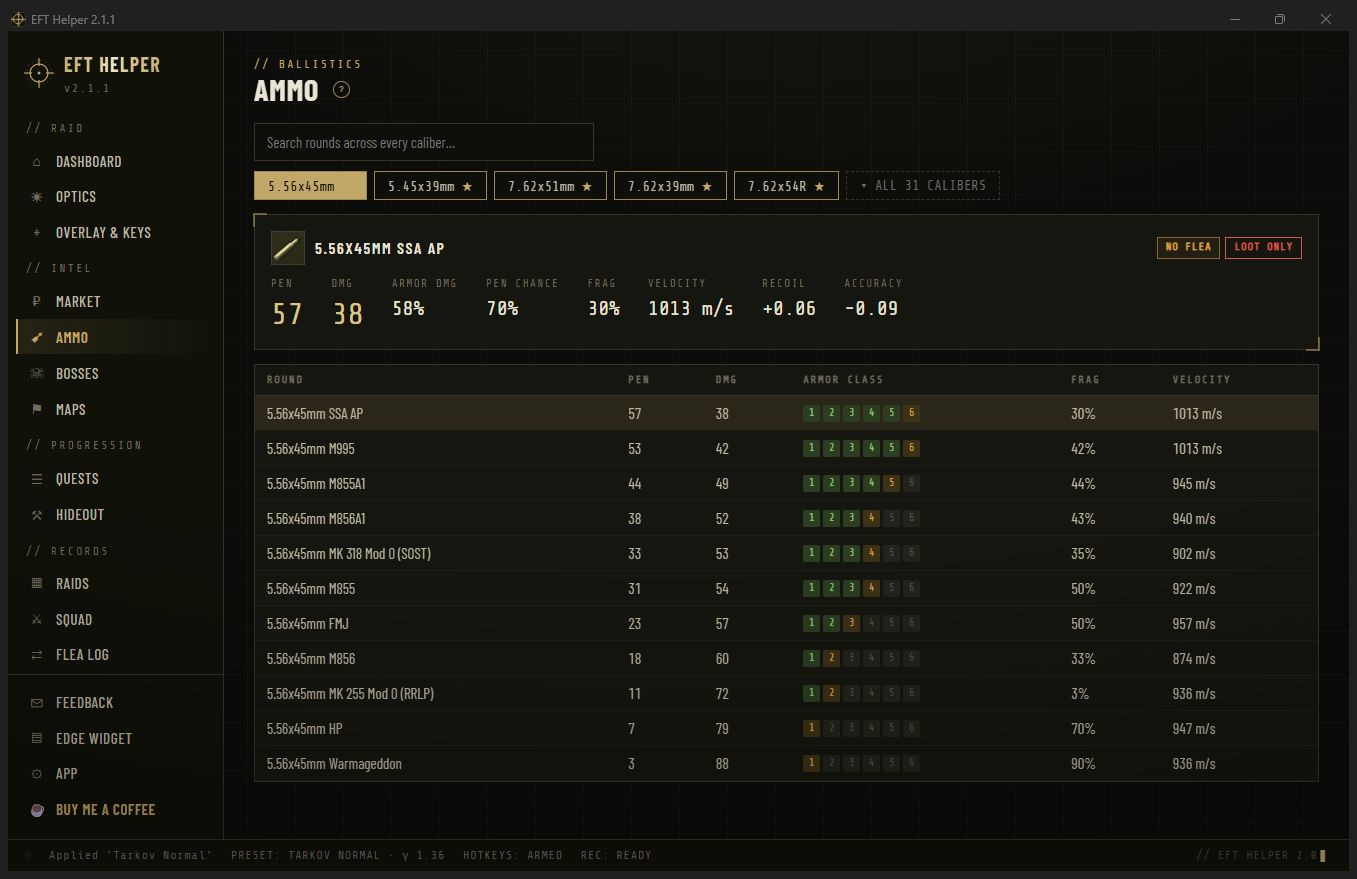
Pick a calibre and every round lines up with big damage and penetration numbers, velocity, and six armour-class blocks. Green means the round reliably beats that class, amber means it is a coin flip, and the app says so instead of pretending to a decimal.
- Pinned calibres stay at the top of the list
- Flea and trader availability per round, so you know what you can actually buy
- Search across calibres when you only remember the name
Target dossiers
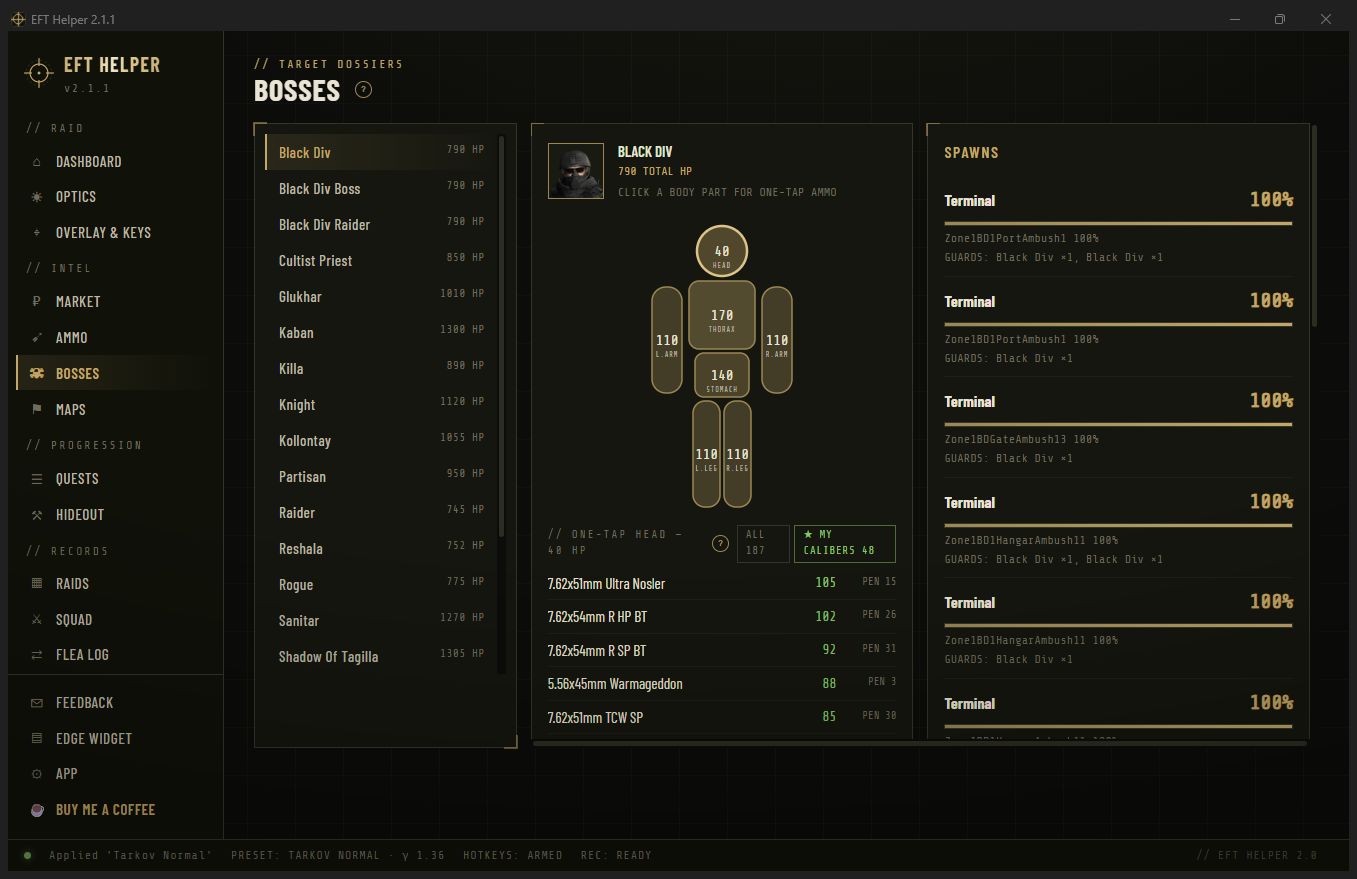
Every boss and their guards: health by body part on a body outline, where they spawn and how often, what they carry, and which rounds in your pinned calibres put them down with one hit to the head or the thorax.
- Spawn odds per map, updated with the data dumps
- One-tap list ranked across everything you have pinned
- Guards and followers with their own health
What you're running, what unlocks what, and what to bring
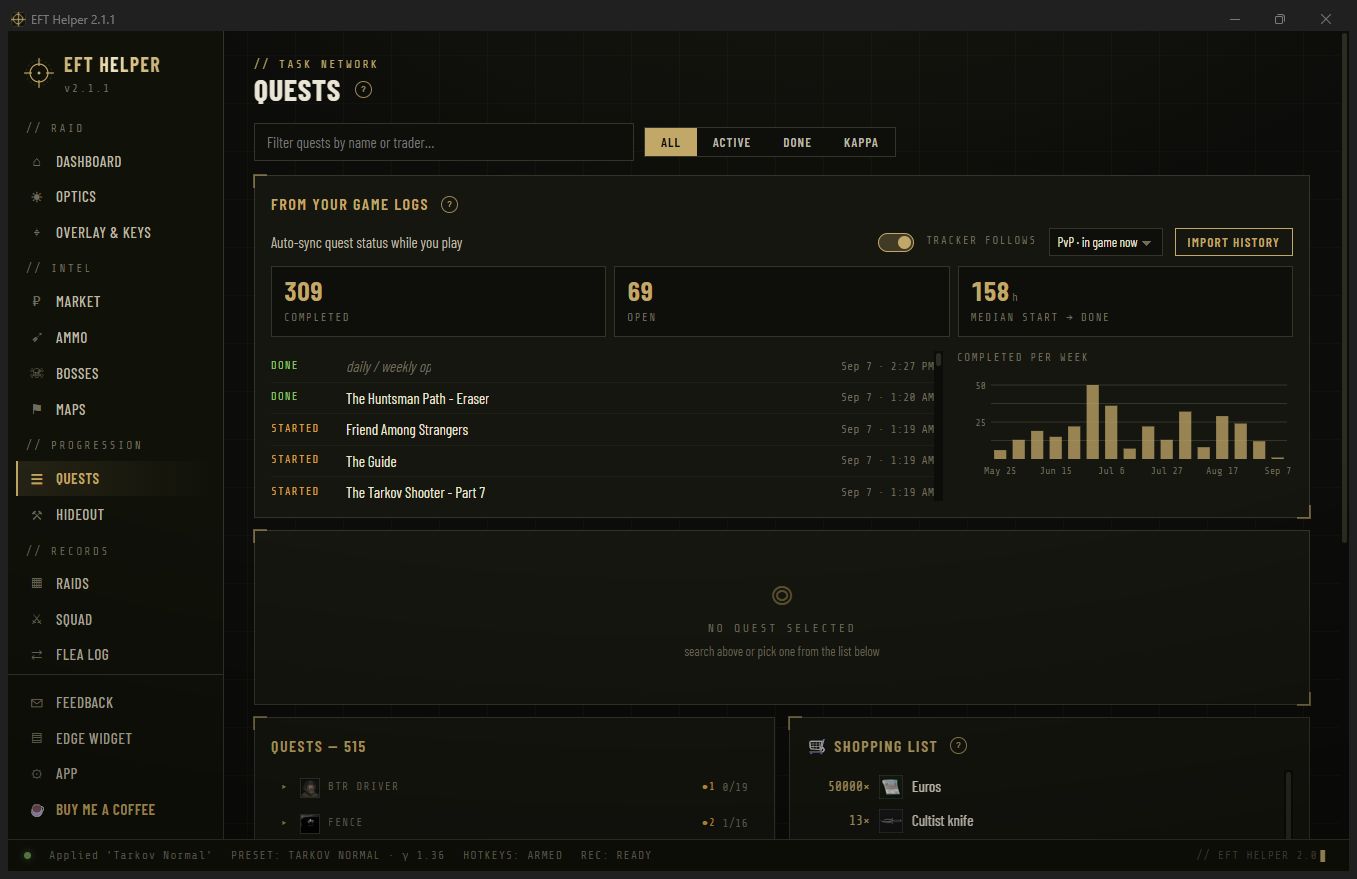
Five hundred quests by trader with their requires and unlocks chains. Mark the ones you are running and the app builds a hand-in shopping list of every item they need, with Found-in-Raid flags. Mark one done and its prerequisites cascade.
- From your game logs: quest starts and completions the client reported, imported automatically
- Starred quests show on the dashboard and the Edge widget
- Community wiki guides one click away
Upgrades to build, and crafts that actually pay
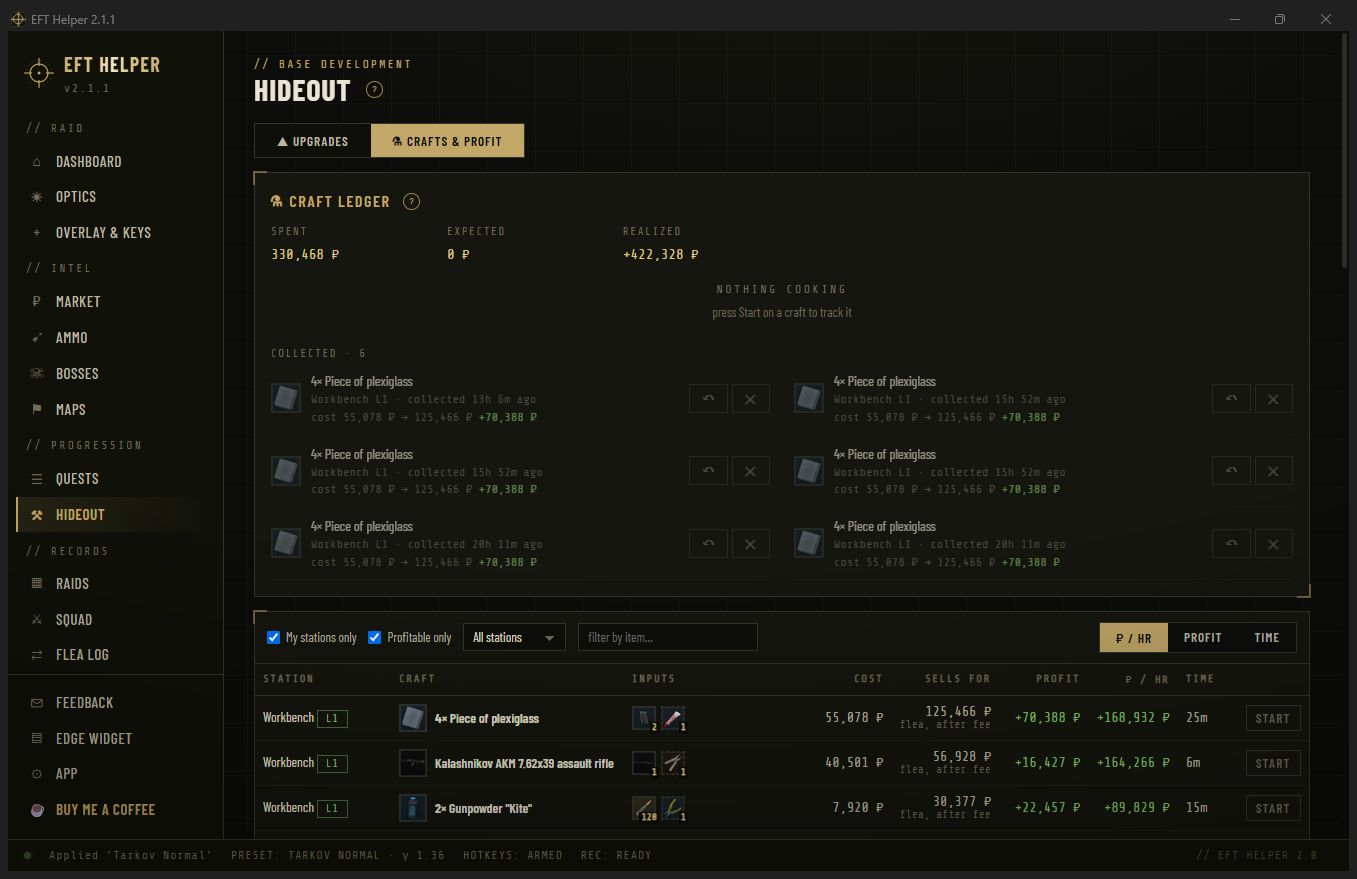
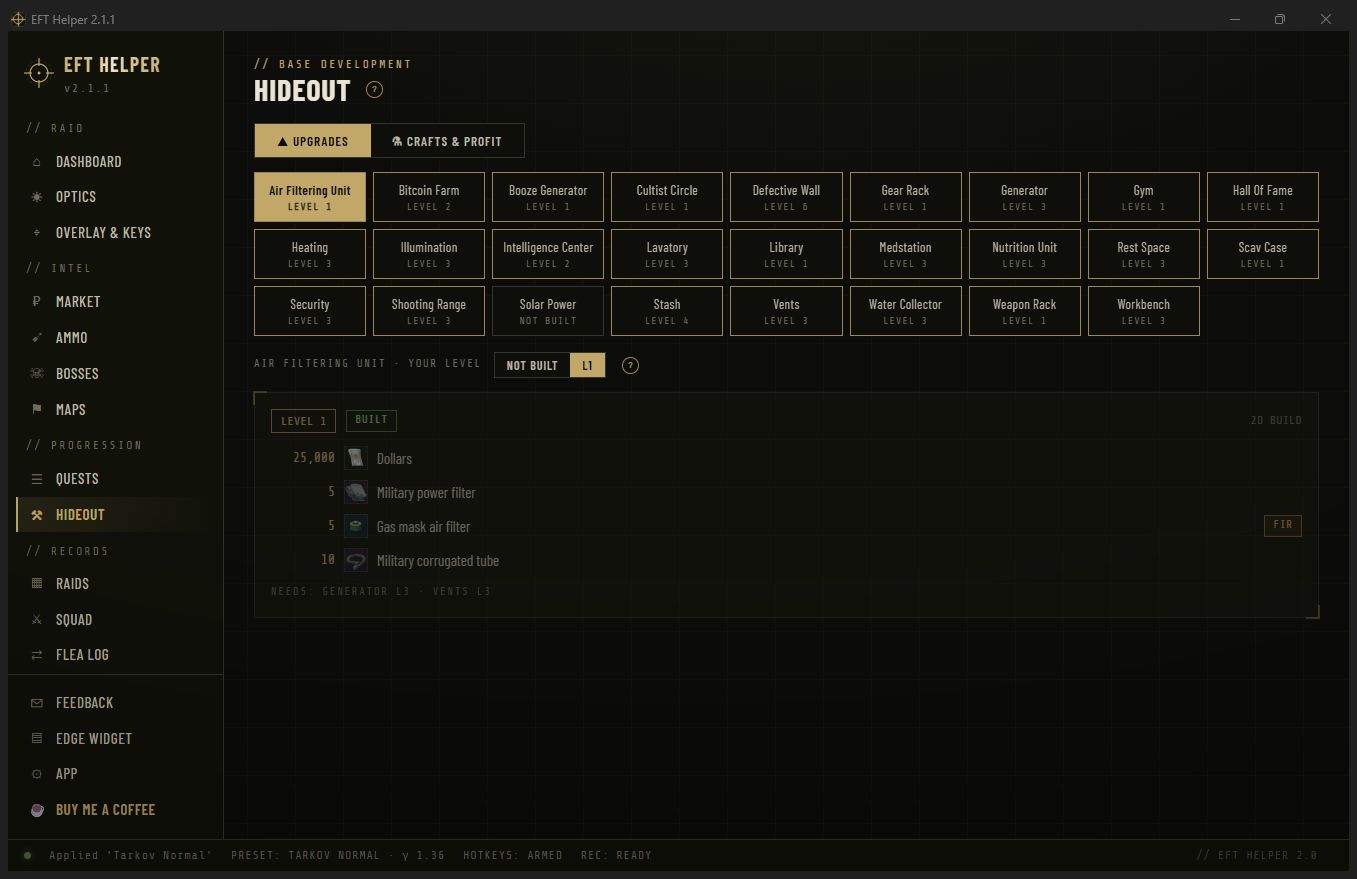
Two views. Upgrades lists every station's per-level requirements, FIR-tagged, with the stations each one needs first. Crafts prices every recipe's inputs at the flea, values the output after the flea fee, and ranks what is worth starting right now per hour of station time, filtered to the levels you have marked as built.
- Mark your station levels once; the craft list respects them
- Start a craft from the list and the ledger records what it cost that day
- Best crafts right now on the dashboard, so you queue them before a raid
Intel questions
How fresh are the prices?
Flea prices come from Tarkov Market when you open a card, with a short cache so scrolling a list doesn't hammer their API. Game data (quests, hideout, bosses, maps) comes from tarkov.dev's dumps and refreshes about daily.
Does the craft profit include the flea fee?
Yes. Output value is what you keep after the flea's listing fee at the current price, and inputs are priced at the flea (or the trader when that is cheaper and available).
Can it read my hideout levels from the game?
No. The client only logs that it asked the server for hideout data, not the answer. You mark your station levels once in the app; it takes a minute.
Is the armour-class colouring based on the real formula?
It uses penetration against the class's armour value with the same thresholds the community ammo charts use. Green is a reliable penetration, amber is around the boundary, and nothing is shown to a false precision.