Over the game, without leaving it
Two windows live over Tarkov: quick search on F10 and the display overlay on F8. Both are pre-warmed so they appear instantly, both close on Escape, and neither shows anything about the raid you are in. Set Tarkov to borderless and they just work.
One box for everything you would have alt-tabbed for
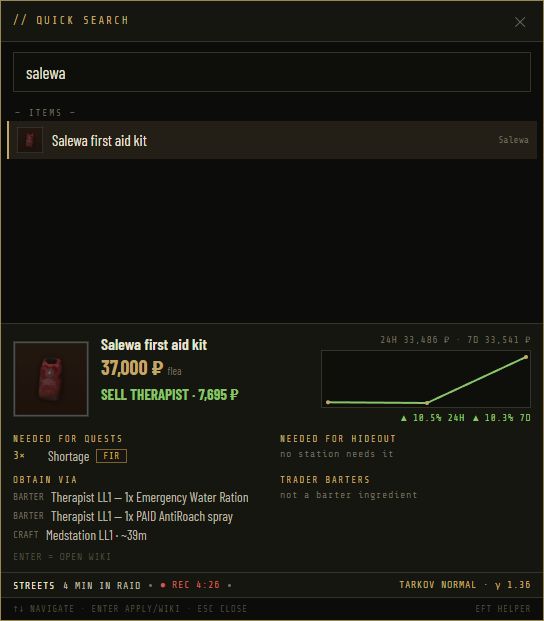
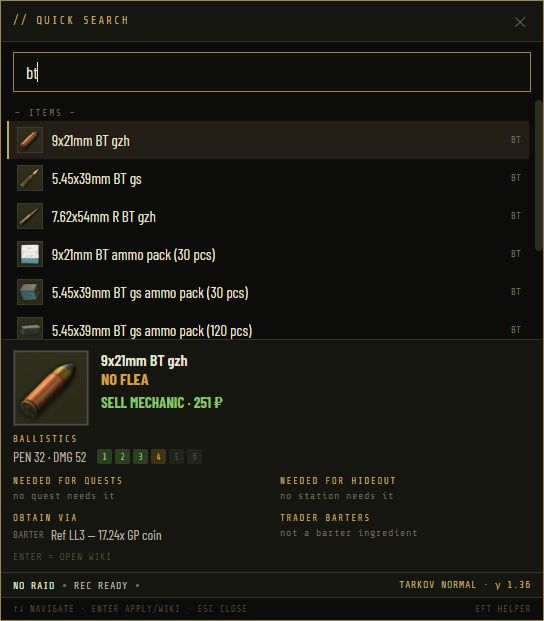
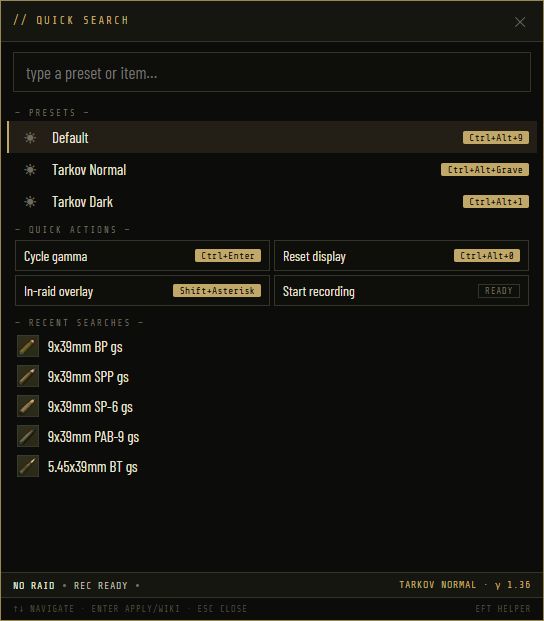
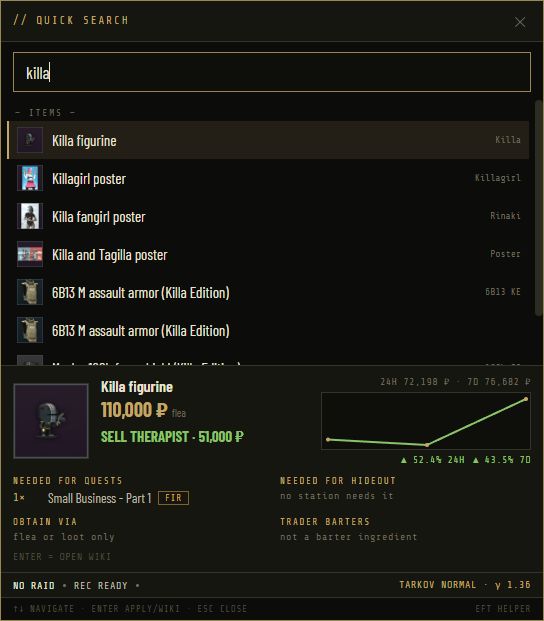
Press F10 and a search box appears over the game. Before you type it shows your presets, quick actions and recent searches. Three letters in, it shows items, ammo, bosses and quests. Enter opens the wiki; Escape closes it and you are back in the raid.
- Item card: flea price and trend, best trader sell, needed for quests, needed for hideout, obtain via, trader barters
- Ammo: pen, damage and armour-class blocks inline, plus where to buy
- Bosses: health, spawn odds and one-tap rounds
- Presets and actions: switch gamma, start the recorder, open the overlay, all from the same box
Night Factory on one key, normal on another
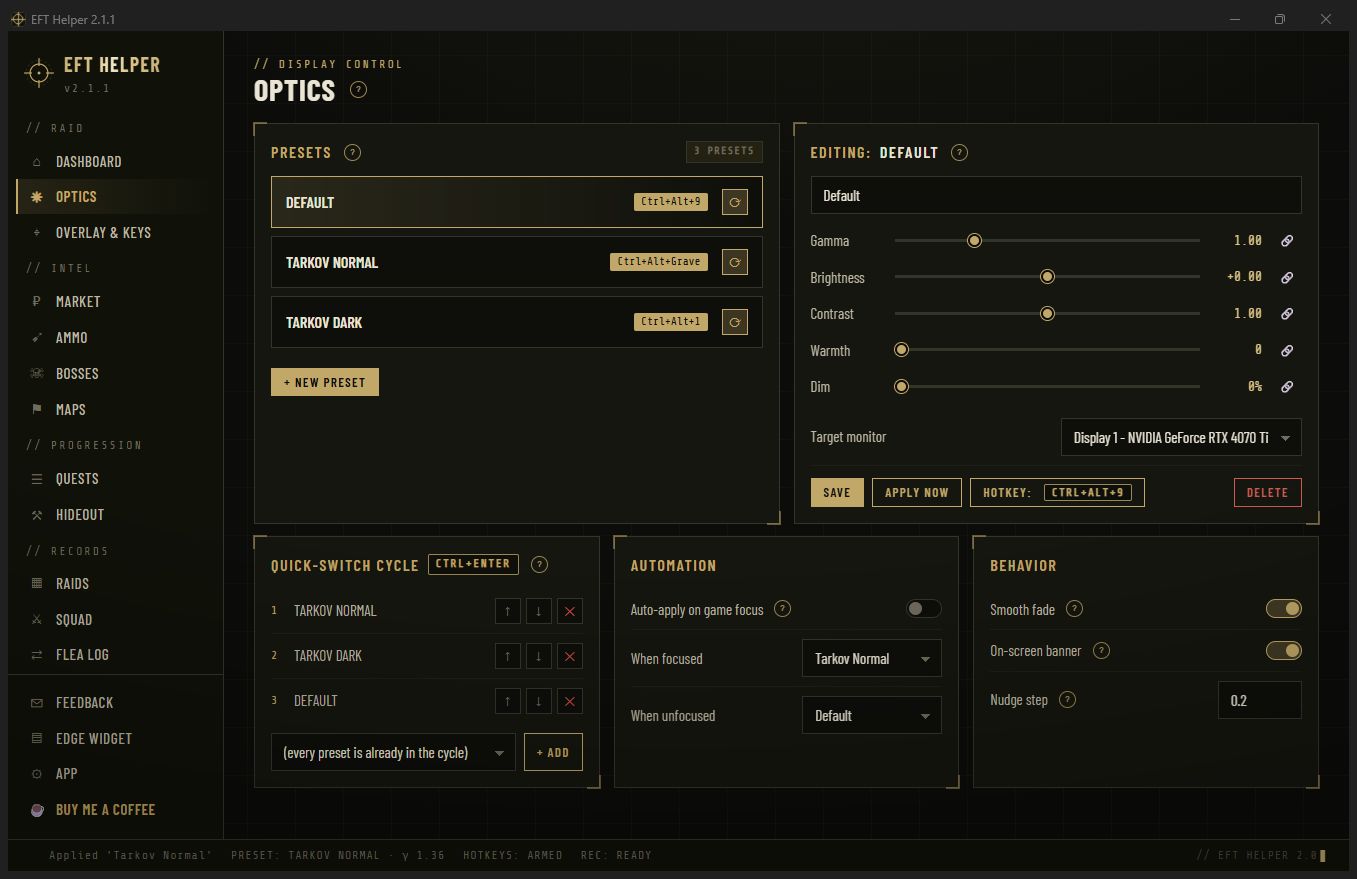
Optics holds your presets: gamma, brightness, contrast, warmth and dim, per monitor. Drag a slider and the monitor changes live. Bind each preset to a hotkey, put a few in a cycle, and set what the app applies when Tarkov starts and what it restores when it closes.
- Per monitor, so the second screen stays readable while the game goes bright
- Nudge keys for gamma up and down without opening anything
- Automation: apply on game start, restore on exit, optional startup with Windows
A control panel over the game, and keys that behave
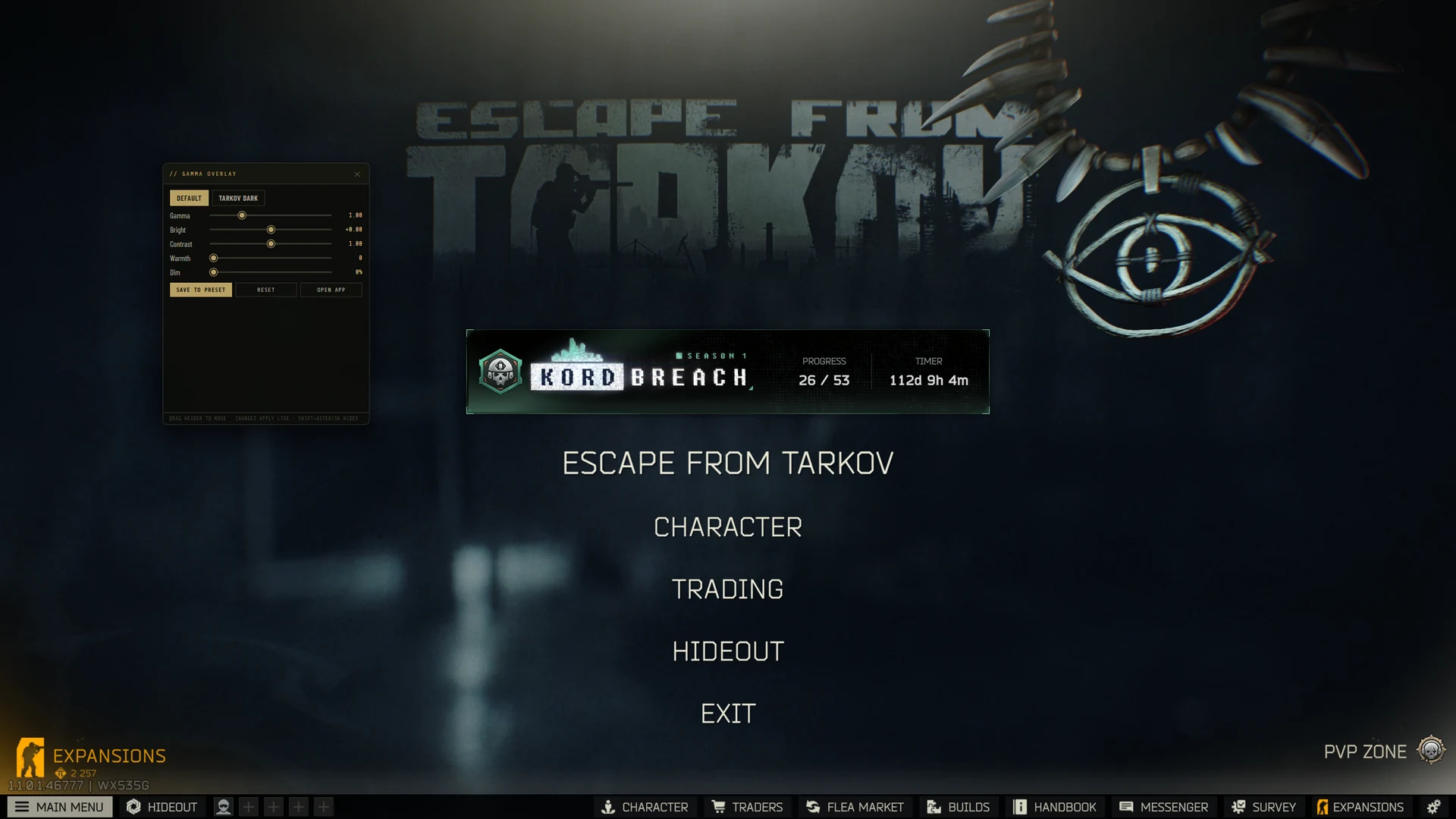
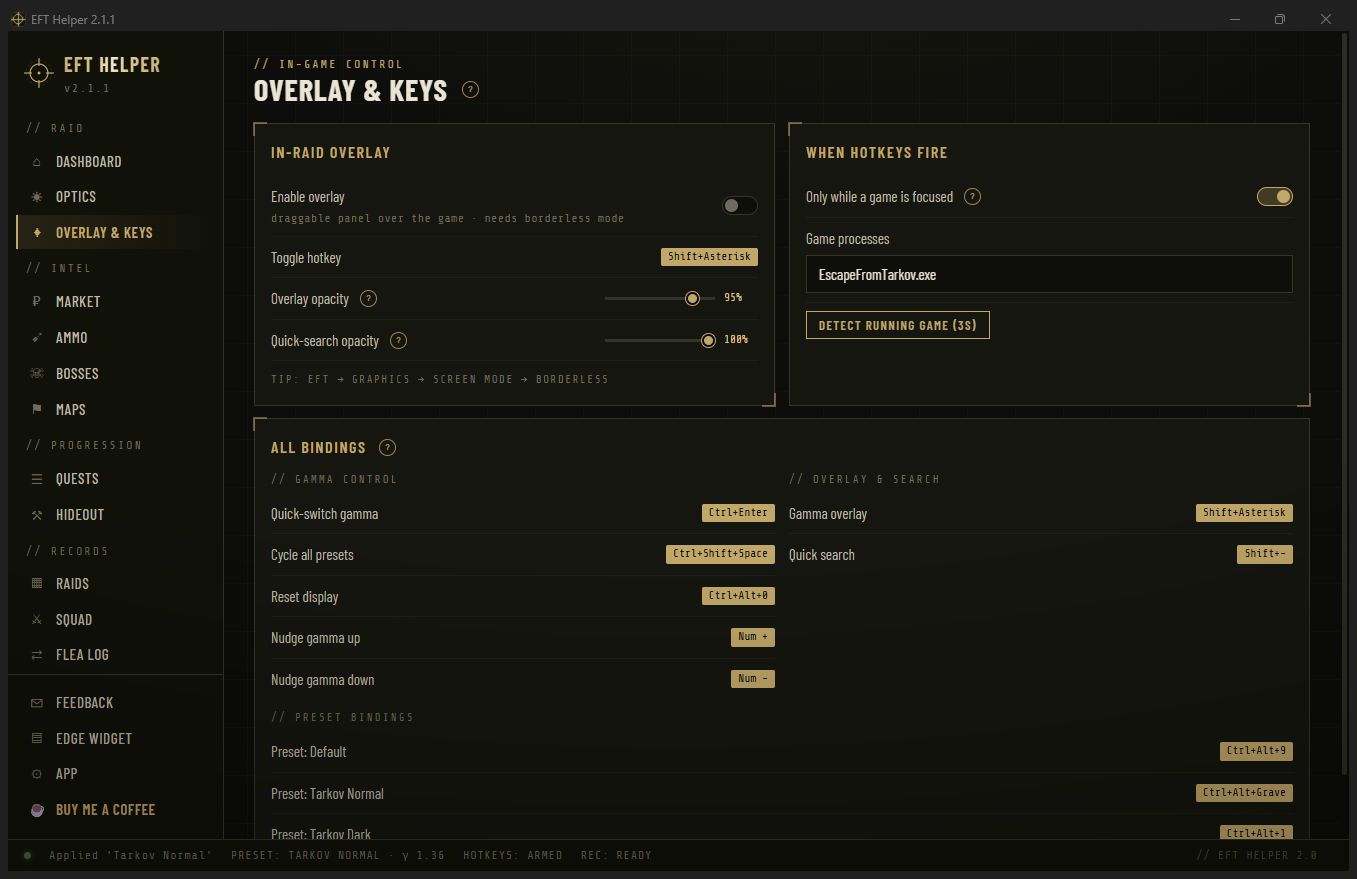
F8 opens a draggable panel over borderless Tarkov with live sliders for every display setting, preset chips, and save. Every hotkey in the app is rebindable from one page, and the whole set can be gated to fire only while Tarkov has focus, so Ctrl+Alt+anything stays yours everywhere else.
- Rebind anything by clicking the key and pressing the new one
- Gate to Tarkov or to any process you name
- Overlay opacity and toggle-vs-hold behaviour, your choice
Mission control between raids
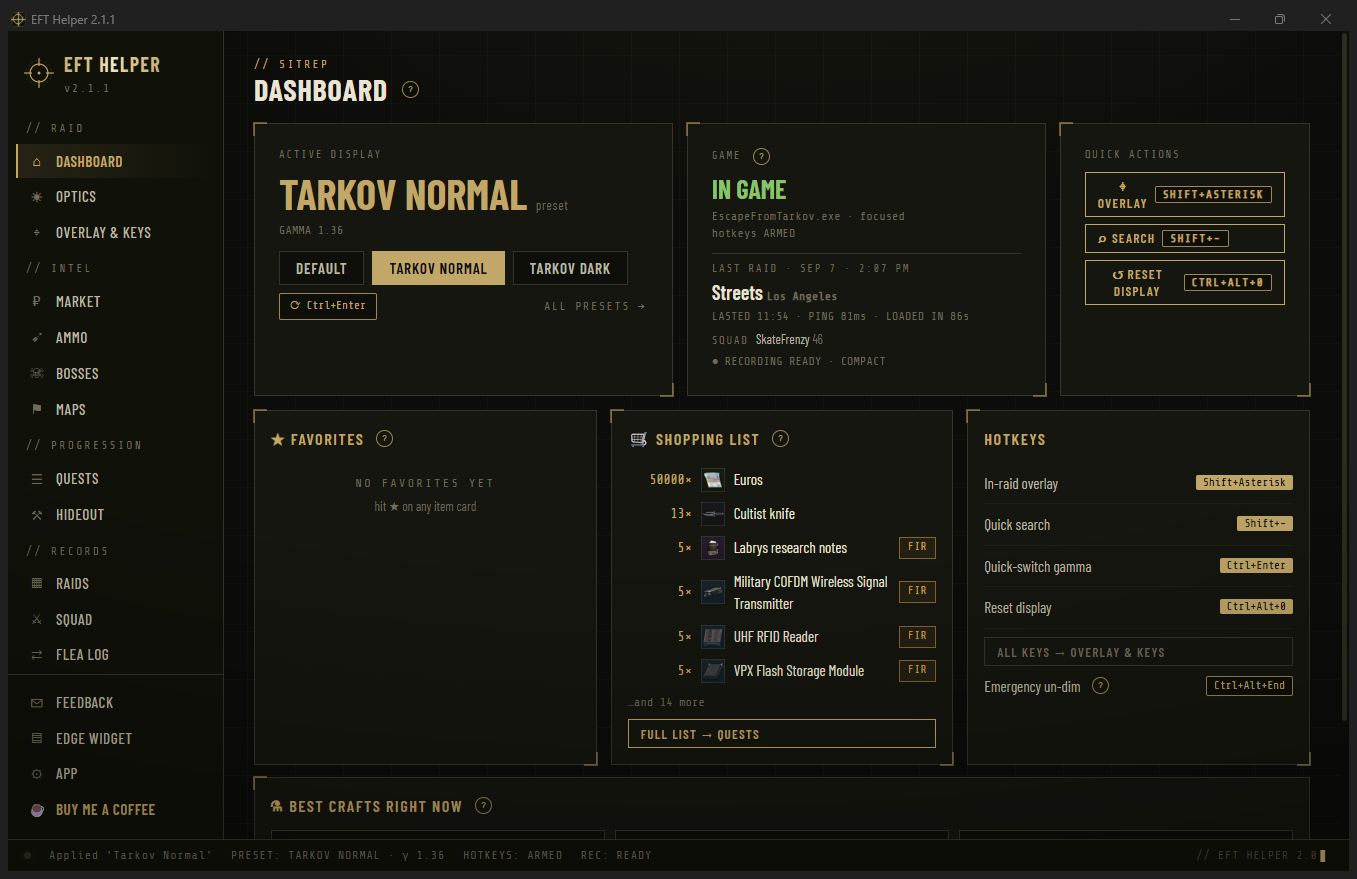
The first page: which preset is applied, whether Tarkov is running or in game, your last raid, one-tap preset and overlay actions, favourites with live prices, the quest shopping list, and the hotkeys as they are bound right now. The UI parks itself while the game has focus, so it costs nothing in raid.
Your favourites on CORSAIR's touch bar
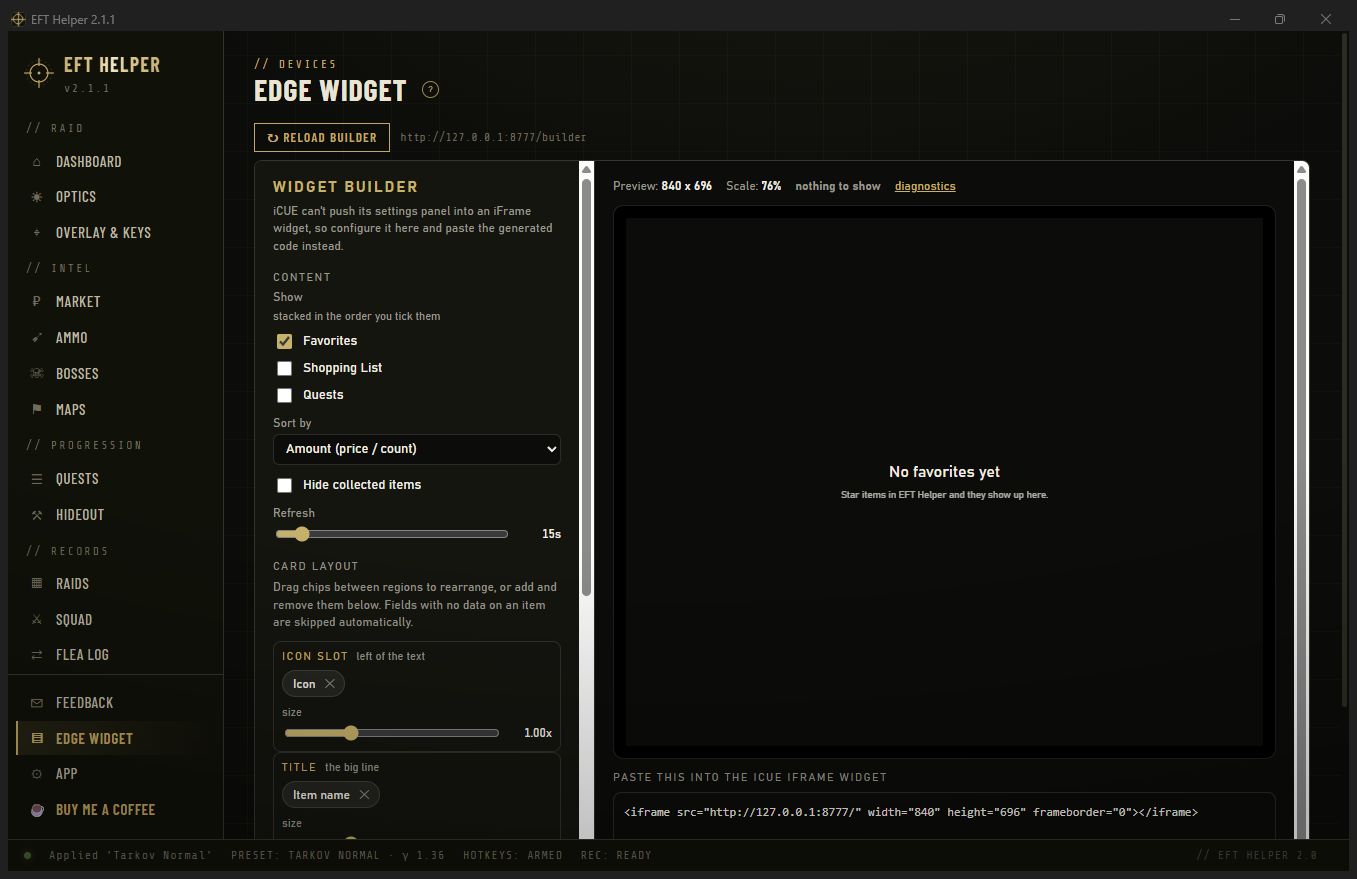
If you own a XENEON Edge, the Edge Widget page builds an iCUE iFrame widget for it: favourites with live prices, the quest shopping list, starred quests, or all three stacked. Pick the fields each card shows, preview it at real slot size, copy the code into iCUE.
In-raid questions
Why does it need borderless windowed?
Exclusive fullscreen resets the display gamma every time it takes focus and hides other windows. Borderless keeps your preset applied and lets quick search and the overlay appear over the game.
Does the overlay show anything about the raid?
No. It shows your own display settings, presets, favourites and the item card you searched for. Nothing about the map, positions or other players, by design.
Can I change F10 and F8?
Yes, every hotkey is rebindable on the Overlay & Keys page, and you can gate them to Tarkov so they don't fire in other games.
Will presets survive a driver update or reboot?
Presets are stored in the app's config. Gamma itself is applied live, so after a reboot the app re-applies your default when it starts, or when Tarkov starts if you set it that way.