Your raids, recorded, clipped and remembered
The Raids, Squad and Flea log pages are the after-action side of the app. The log tailer writes every raid the client played into a local history; the recorder puts a video next to each one; the clip editor turns the good thirty seconds into a file you can share.
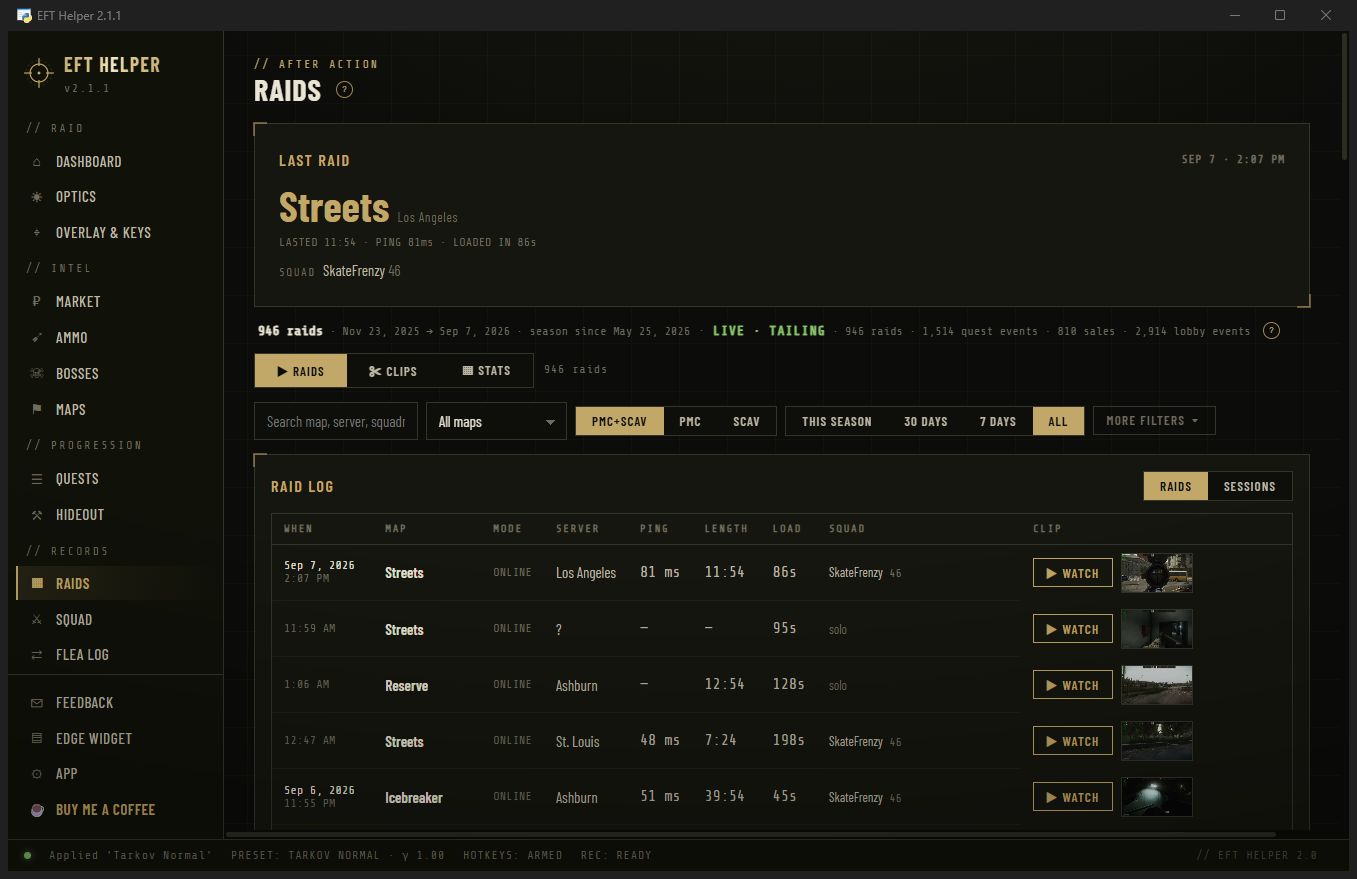
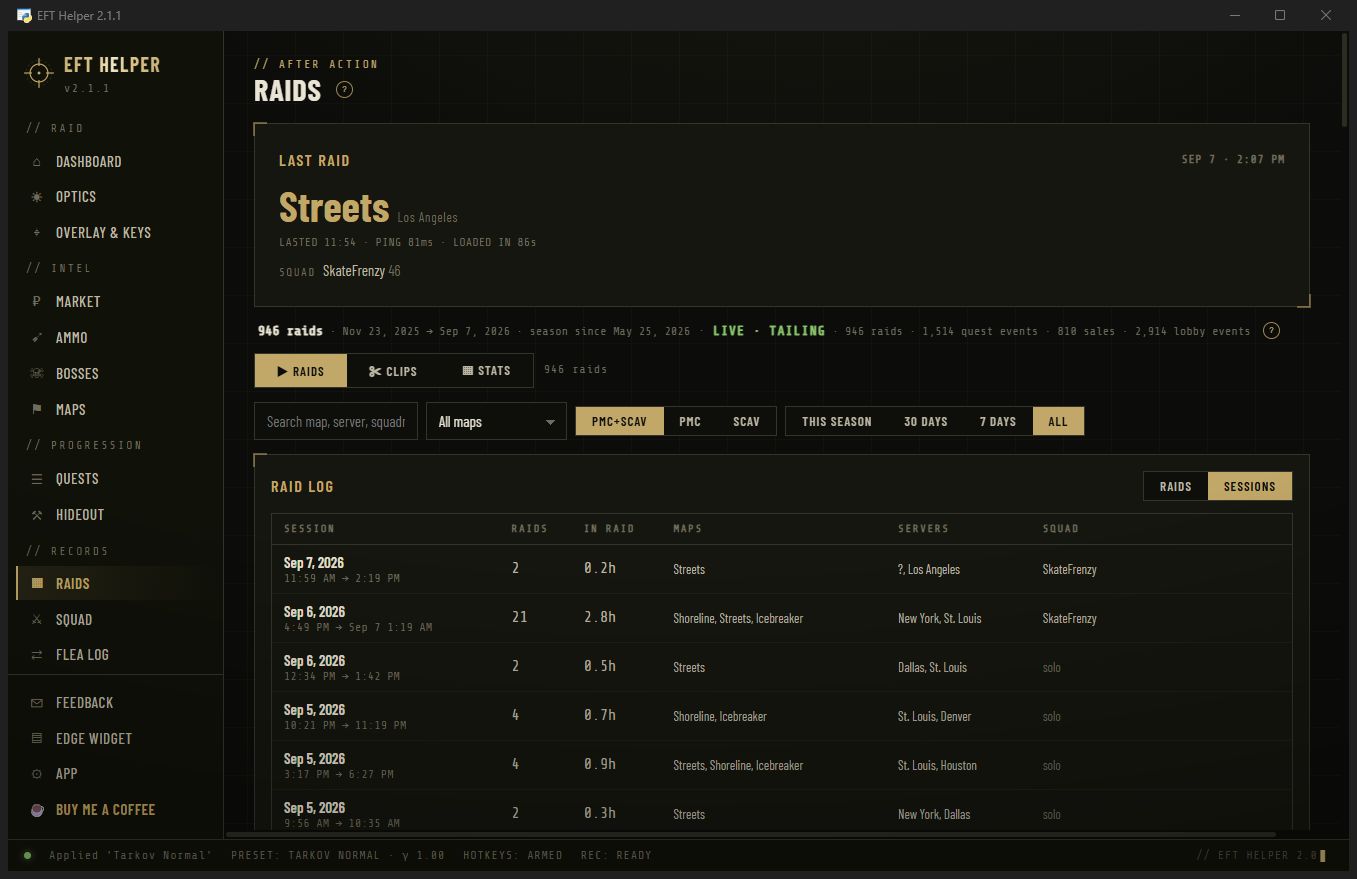
Every raid the client ever logged
Tarkov keeps plain-text logs of matching, loading, raid start and raid end. EFT Helper reads them once on first launch, back through every log folder still on disk, and then follows them live. Most players find months of history they never knew they had.
- Per raid: map, mode, PMC or scav, server region and ping, queue time, load time, length, how it ended
- Filters for season, last 30 or 7 days, map, side, squadmate, and free text
- Sessions view groups raids by sitting, so a Friday night reads as one block
Stats you can derive from the client's own files
Nothing here comes from a server or a screen reader. Each number below is computed from events the game writes to disk, and the source line is named so you know what is and isn't possible.
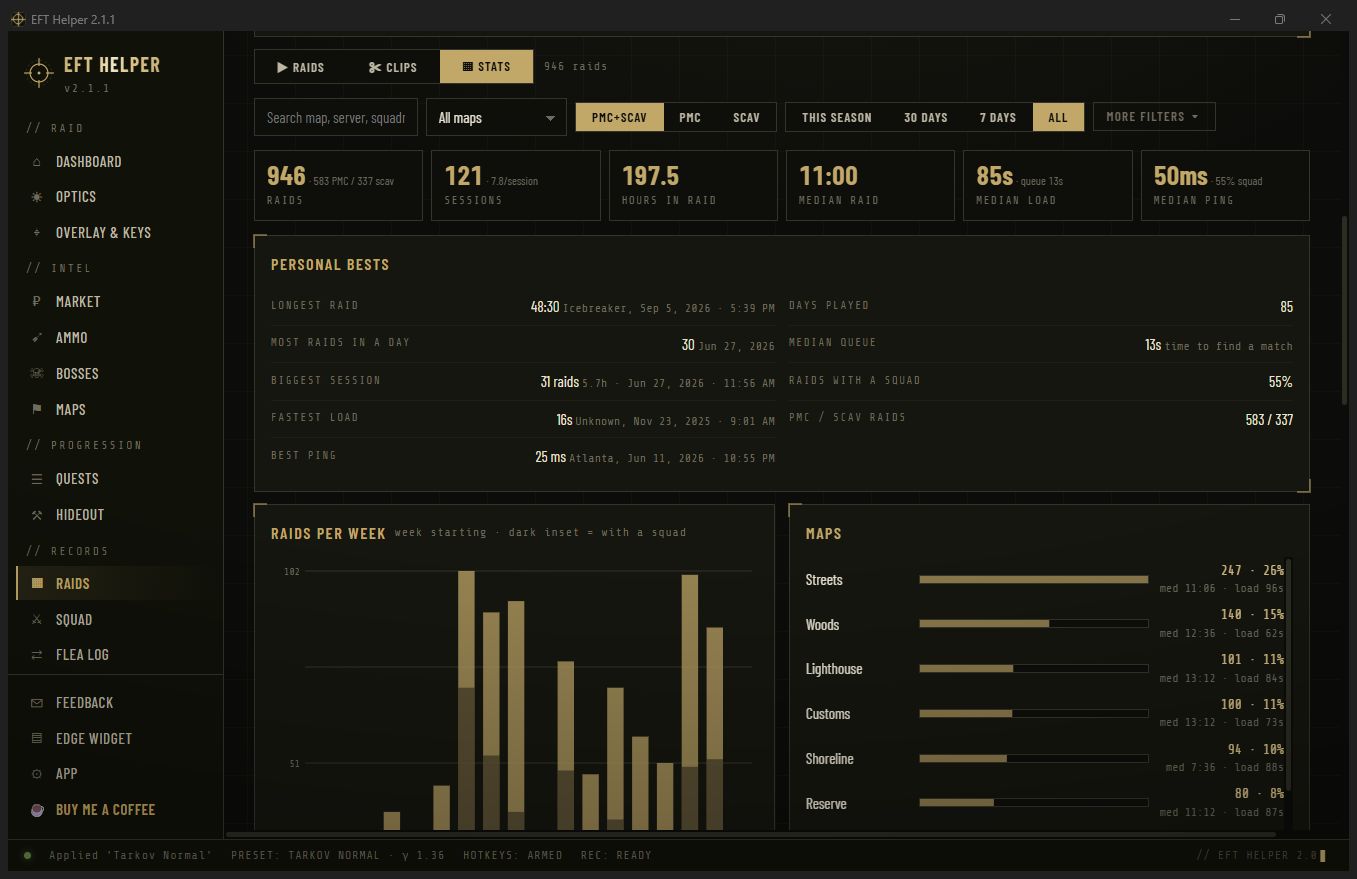
Stats tab
Totals for the filter you have set, personal bests, raids per week with the squad share shaded in, and the map split with median raid length and load time per map. Change the filter and every card recomputes.
Raids, PMC vs scav, sessions
Count of raids, split by side, grouped into sessions when the gap between raids is short.
Hours in raid, median raid length
Time between the first frame in raid and the end event, so loading and matching don't count.
Queue and load times
How long matching took and how long the map took to load, per raid and as medians. Useful when a patch makes loading worse.
Server region and ping
Which region you were matched to and the round-trip time the client measured, with a best-ping record.
How it ended
Extracted, killed, missing in action, left, or run-through, as the client reported it.
Personal bests
Longest raid, most raids in a day, biggest session, fastest load, best ping, days played, squad rate.
Squad roster
Who readied up with you in the lobby, with their level, kit and pre-raid health, every raid. Leaderboards for ready-up speed, condition and more.
Flea sales
What sold, to whom, and the roubles that arrived, from the flea mail the client is told about.
Quest progress
Quest starts, completions and hand-ins as the client receives them, feeding the Quests page.
Starts at spawn, stops at extract
One switch on the App page. The recorder waits for the raid to actually start, captures at 60 fps with NVENC and the audio device you pick, and trims the loading screen off the front. The file is named after the map and the time and sits in your Videos folder, next to the raid on the Raids page.
- No OBS, no hotkey. FFmpeg is bundled; you never see it. The switch, encoder and audio device live on the App page.
- Raid-bounded. No menu footage, no forgotten 3-hour recordings.
- Audio in sync with a frame-rate readout under the player so you can trust the file before you clip it.
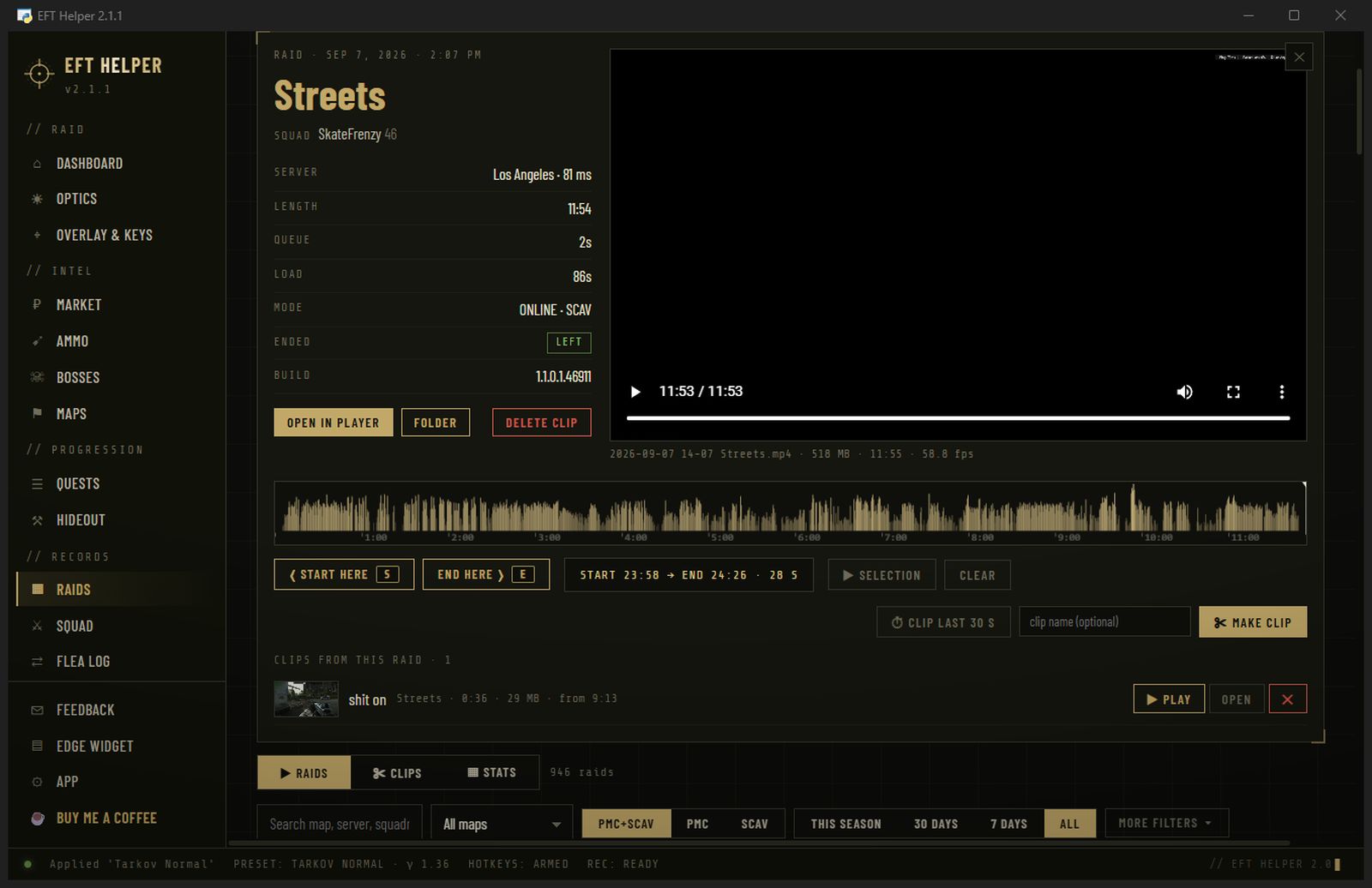
Start here. End here. Make clip.
Scrub to the moment, press Start here, scrub to the end, press End here, Make clip. The cut is a stream copy, so it takes about a tenth of a second and never re-encodes your video. Clip last 30 s does the whole thing in one click from wherever you paused.
- Loudness strip under the video so fights are easy to find on a 40-minute file
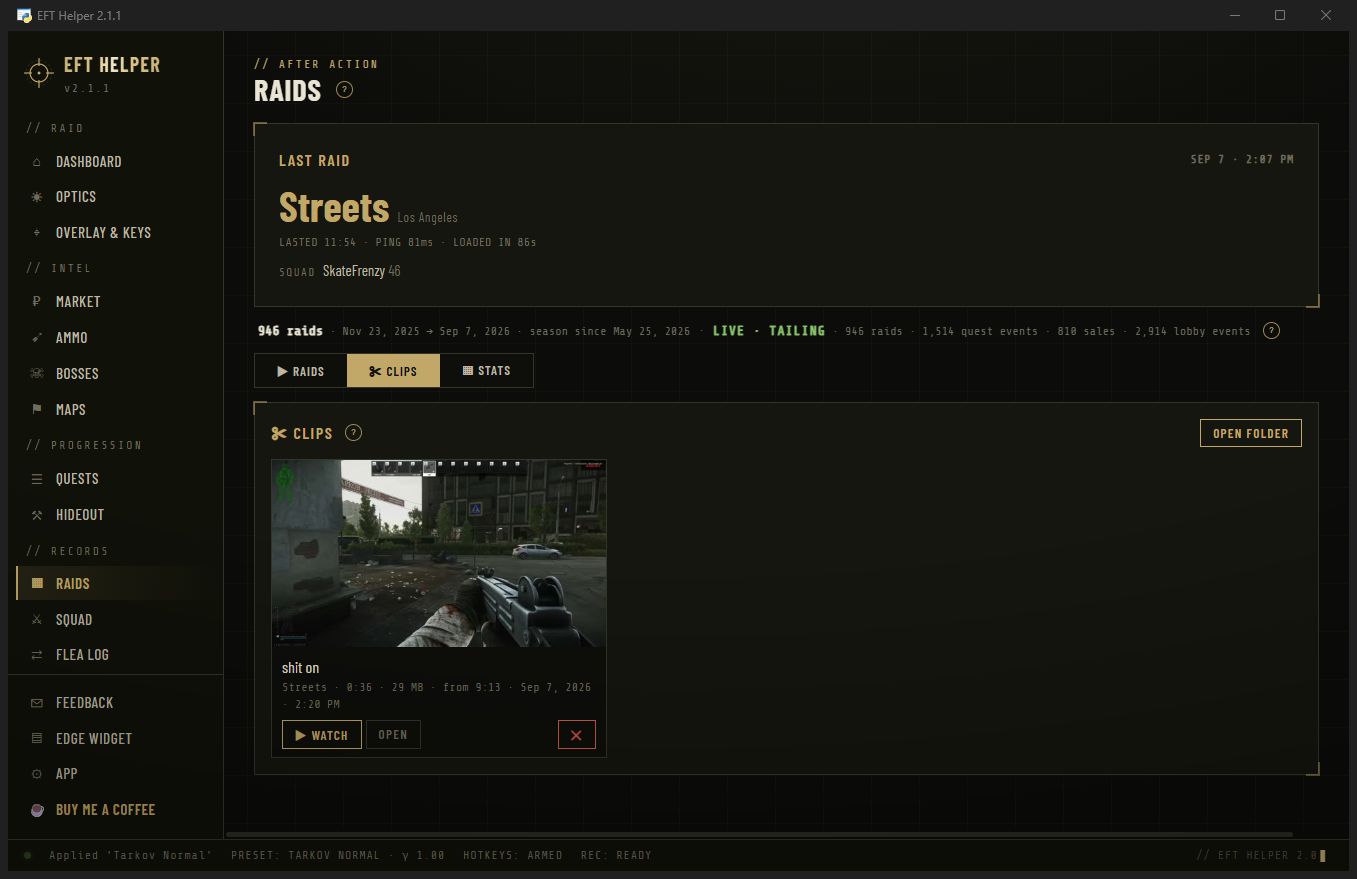
- Clips tab lists every clip with a thumbnail, length and size; play it in the app, open the file, or delete it
- Fast cuts land on a keyframe, up to two seconds before your start mark. Frame-exact cuts are on the roadmap.
Who you raid with, and what actually sold
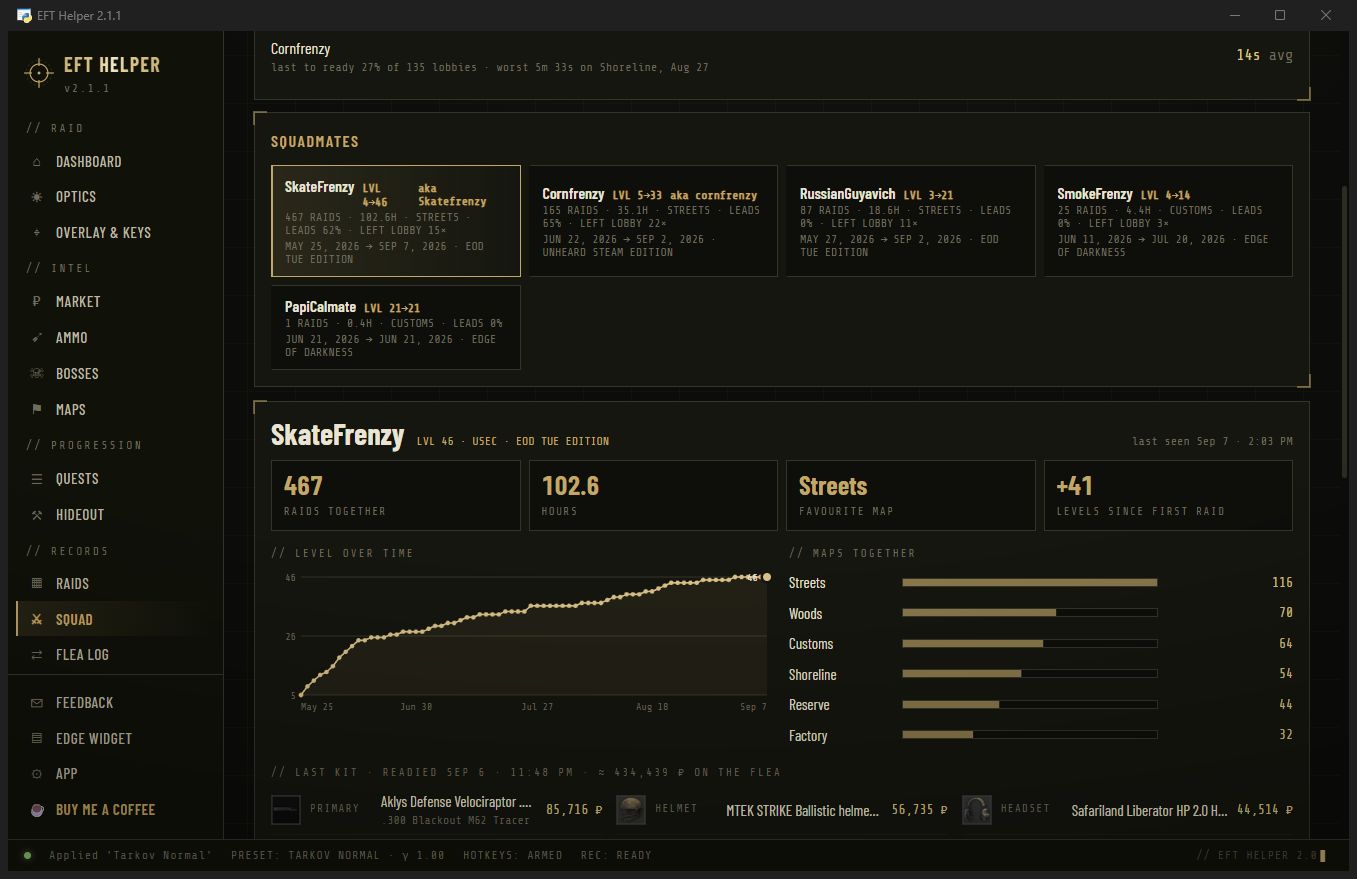
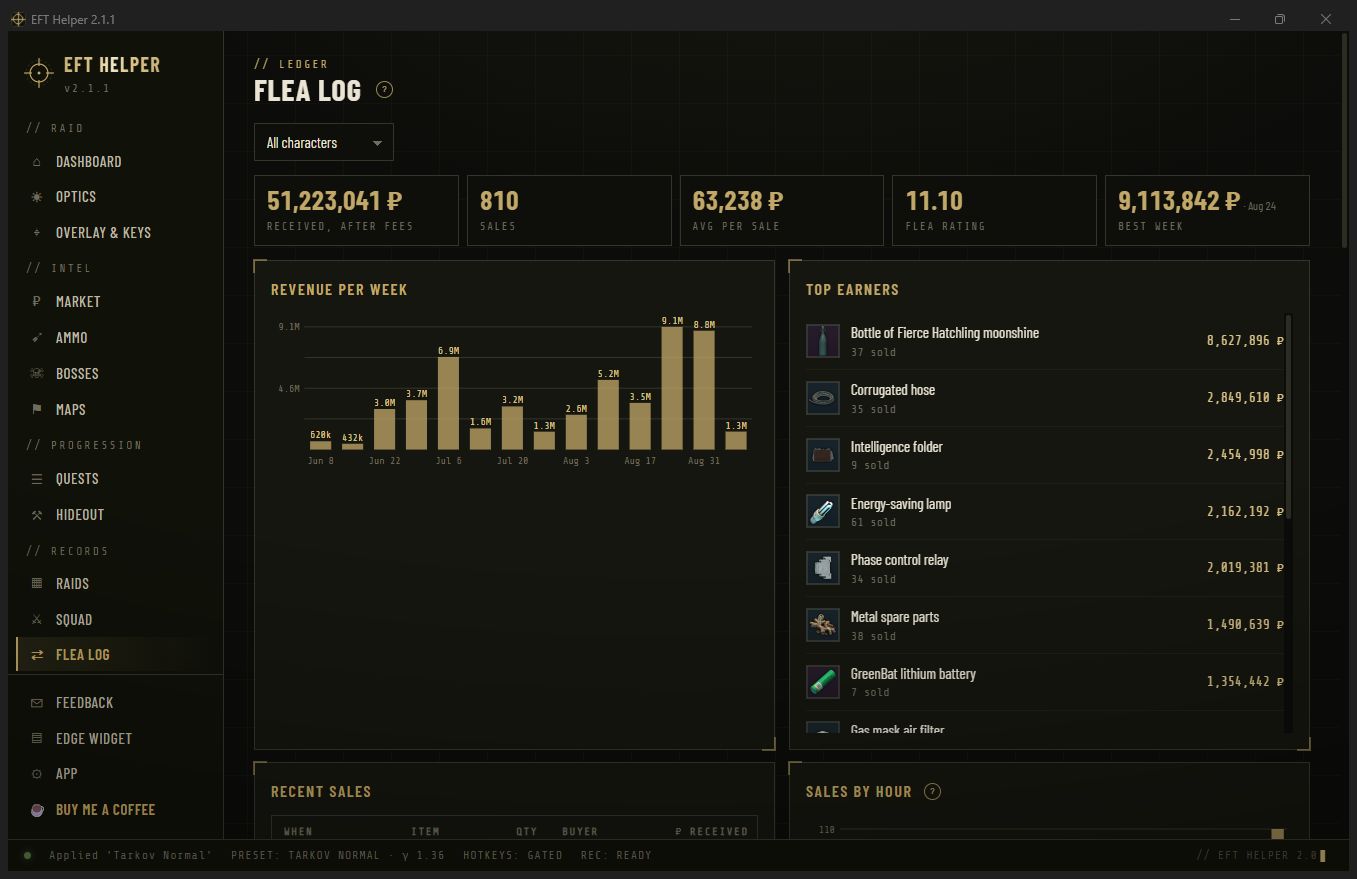
Every lobby ready-up the client receives names the player, their level, their kit and their pre-raid health. Squad turns that into a roster with per-mate raid counts, favourite maps, ready-up speed and leaderboards. Flea log does the same for the mail the flea sends when something sells.
- Squadmate cards with raids together, first and last seen, and the maps you run with them
- Leaderboards: ready-up, kit, condition, loadouts, leavers, chemistry
- Flea log: per-sale rows, per-buyer totals, and a roubles-over-time chart
Raids and recorder questions
Which GPUs does the recorder support?
NVIDIA with NVENC today. AMD and Intel encoders are on the roadmap.
Does it record Discord voice?
It records the audio device you pick, so route what you want into it. Turn Discord Clips off while it runs: the two fight over the encoder and the frame rate halves.
How big are the files?
About 1 GB for a 30 minute raid at 1440p60. A 30 second clip is 20 to 30 MB.
Why is my raid history shorter than I expected?
Tarkov only keeps a limited number of log folders on disk and clears them on some updates. The app reads everything still there and keeps its own copy from then on.
Can it show kills or damage?
No. The client does not write those to its logs, and the app never reads game memory.
Does any of this leave my PC?
No. The history is a local database, recordings and clips are files in your Videos folder, and there is no server.