Everything you alt-tab for.
Without alt-tabbing.
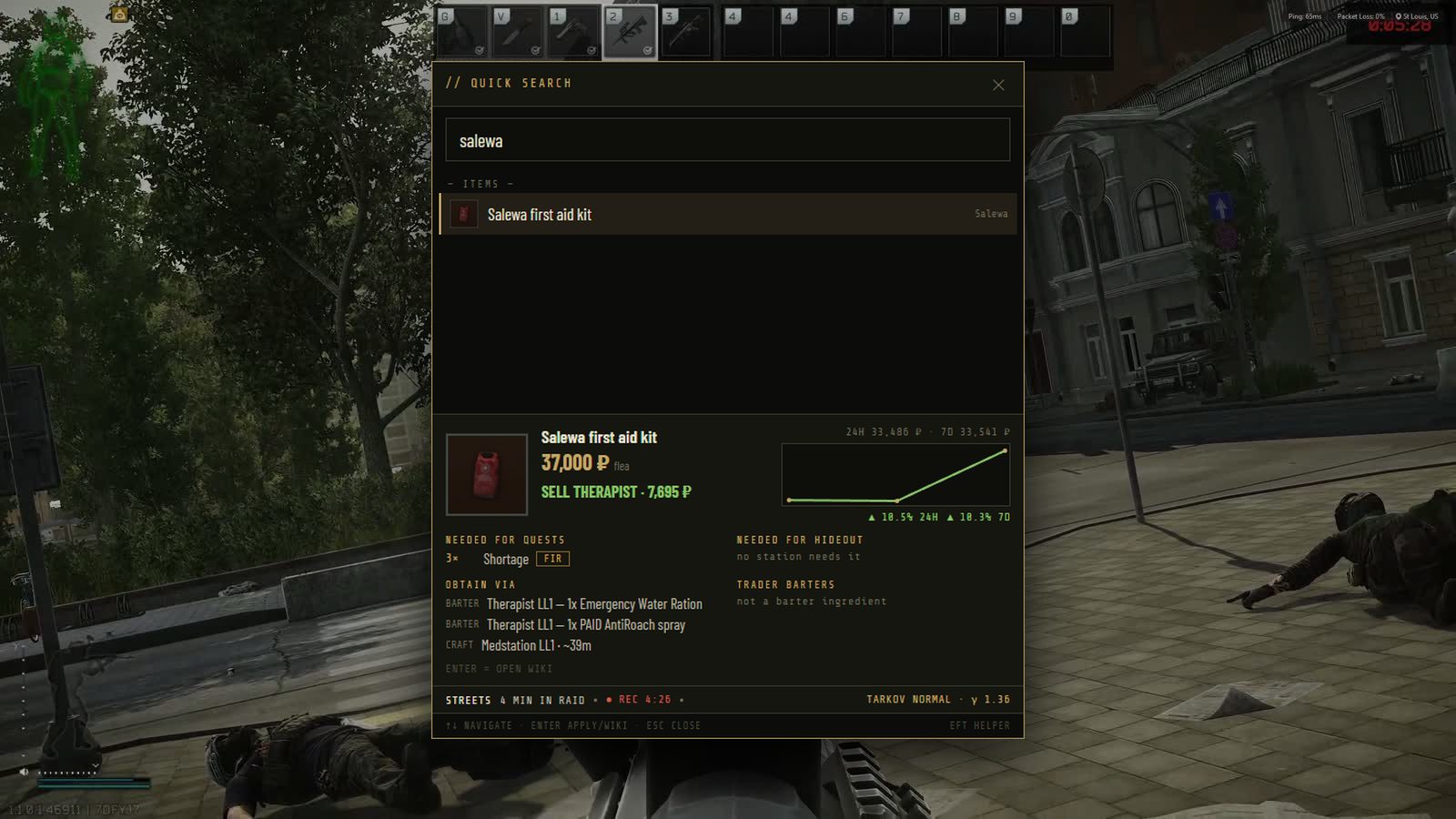
Press F10 in the raid and search any item, quest, boss or round without leaving the game. Keep prices, ammo, maps and hideout crafts on the other screen. Get every raid recorded, clipped and remembered. It reads the game's own log files and nothing else.
Built around a raid, not a menu
Every feature sits where you would reach for it: over the game while you play, on the other monitor while you plan, and in your history when it is over.
In the raid
- Quick search over the game: prices, ammo, bosses, quests F10
- Gamma presets on hotkeys, per monitor, with a draggable overlay F8
- Hotkeys that only fire in Tarkov, so nothing steals your keys elsewhere
- Xeneon Edge widget for CORSAIR's touch bar
Intel
- Market: flea and trader prices, trends, and what every item is for
- Ammo penetration by armour class, honest coin-flip flags
- Bosses with spawn odds, health by body part, one-tap rounds
- Maps in-app: extracts, spawns, keys and quest items by floor
- Quests and Hideout: hand-in lists and crafts that pay at your station levels
After the raid
- Raids: every raid the client logged, with map, mode, queue and load times
- Raid recorder: starts at spawn, stops at extract, 60 fps, no OBS
- Clips: mark start and end, cut in a second, share the file
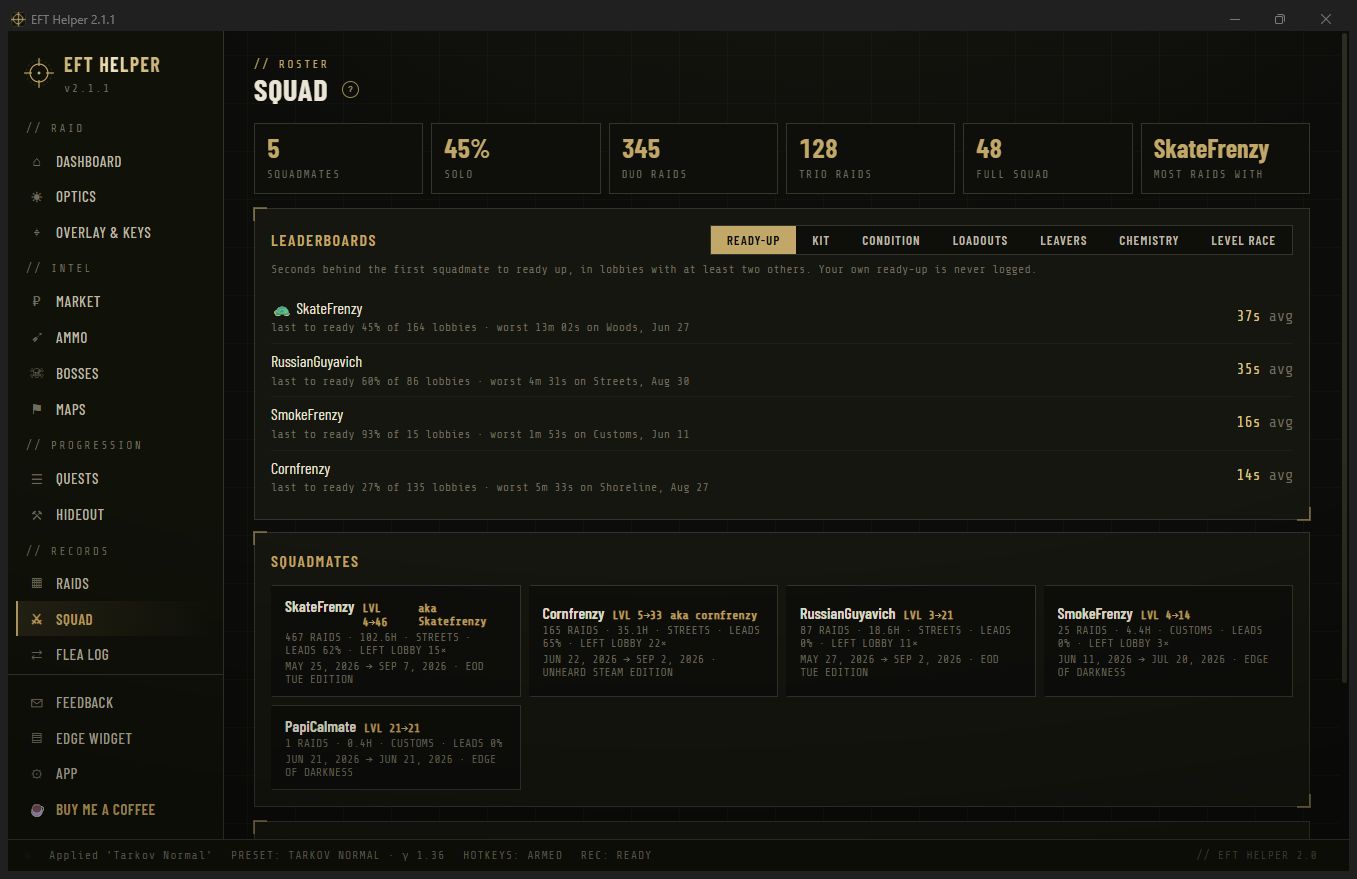
- Squad roster and Flea log from your own lobby and mail events
The wiki, the flea and your presets, one keystroke over the game
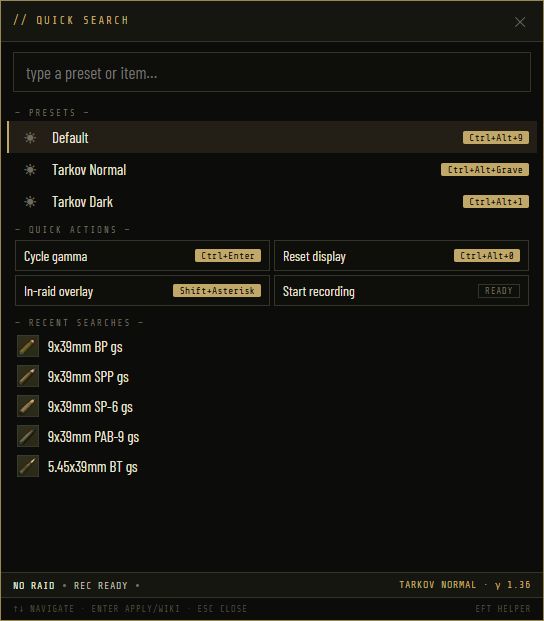
One box opens over Tarkov. Type three letters and get the item: flea price and trend, best trader sell, which quests and hideout upgrades want it, how to barter or craft it. The same box switches gamma presets, opens quests and bosses, and remembers what you looked up last.
- Zero-typing home: presets, quick actions and your recent searches before you type anything
- Item cards with price trend, needed-for and obtain-via sections
- Ammo and bosses inline, so "does BT pen class 5" is a five-second question
Every raid, recorded and remembered
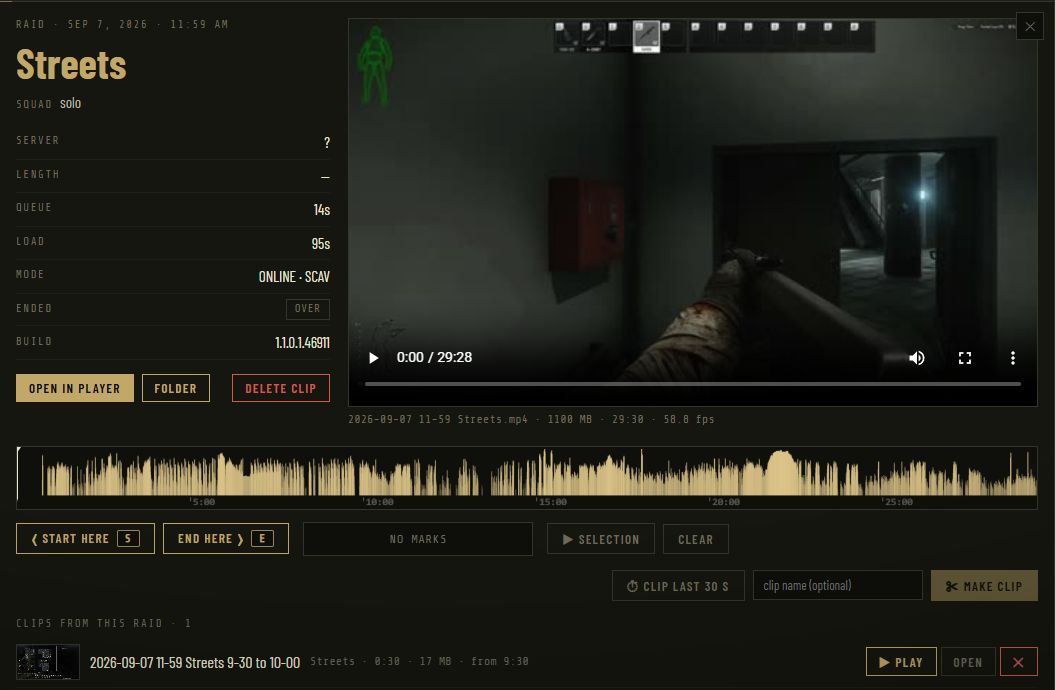
Turn the recorder on once. It starts when you spawn, stops when you extract or die, and files the video next to the raid it belongs to. No OBS, no hotkey to remember, no 40-minute menu recordings.
- 60 fps NVENC capture with your game audio, trimmed to the first real frame
- Clip editor under every recording: Start here, End here, Make clip, or Clip last 30 s
- Clips tab with thumbnails, ready to drag into Discord
Your Tarkov, in numbers you never had
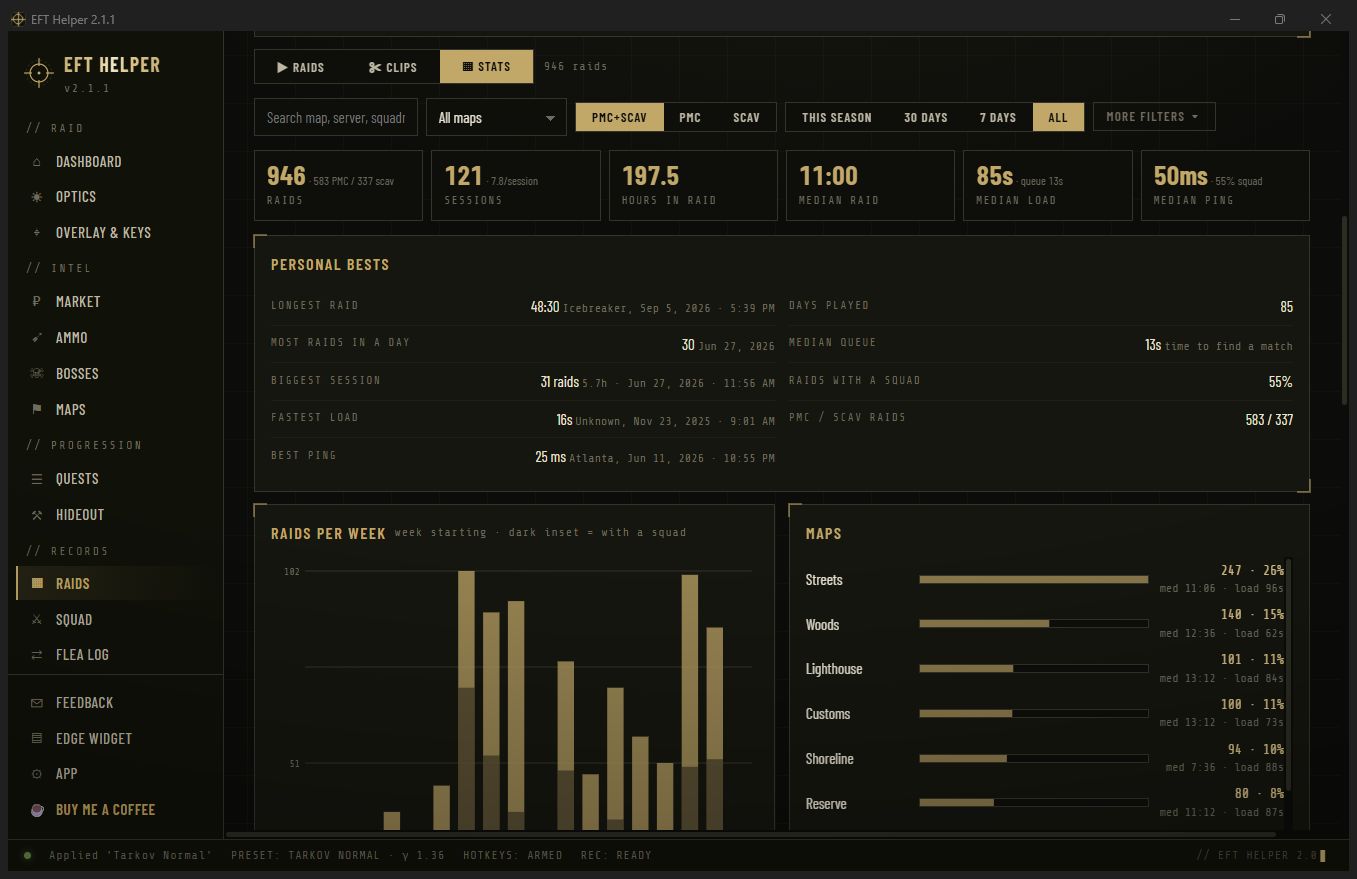
The client logs every match: map, mode, side, server, queue and load times, how it ended, and who readied up with you. EFT Helper turns that into a history you can filter by season, map or squadmate, and a roster of the people you actually raid with.
- Raid log back to your first logged raid, with per-map and per-session views
- Squad: who runs with you, how often, their level and kit at ready-up, and the leaderboards you'll argue about
- Flea log: what sold, to whom, and the roubles that landed in your mail
The map, in the app, with the things you're looking for on it
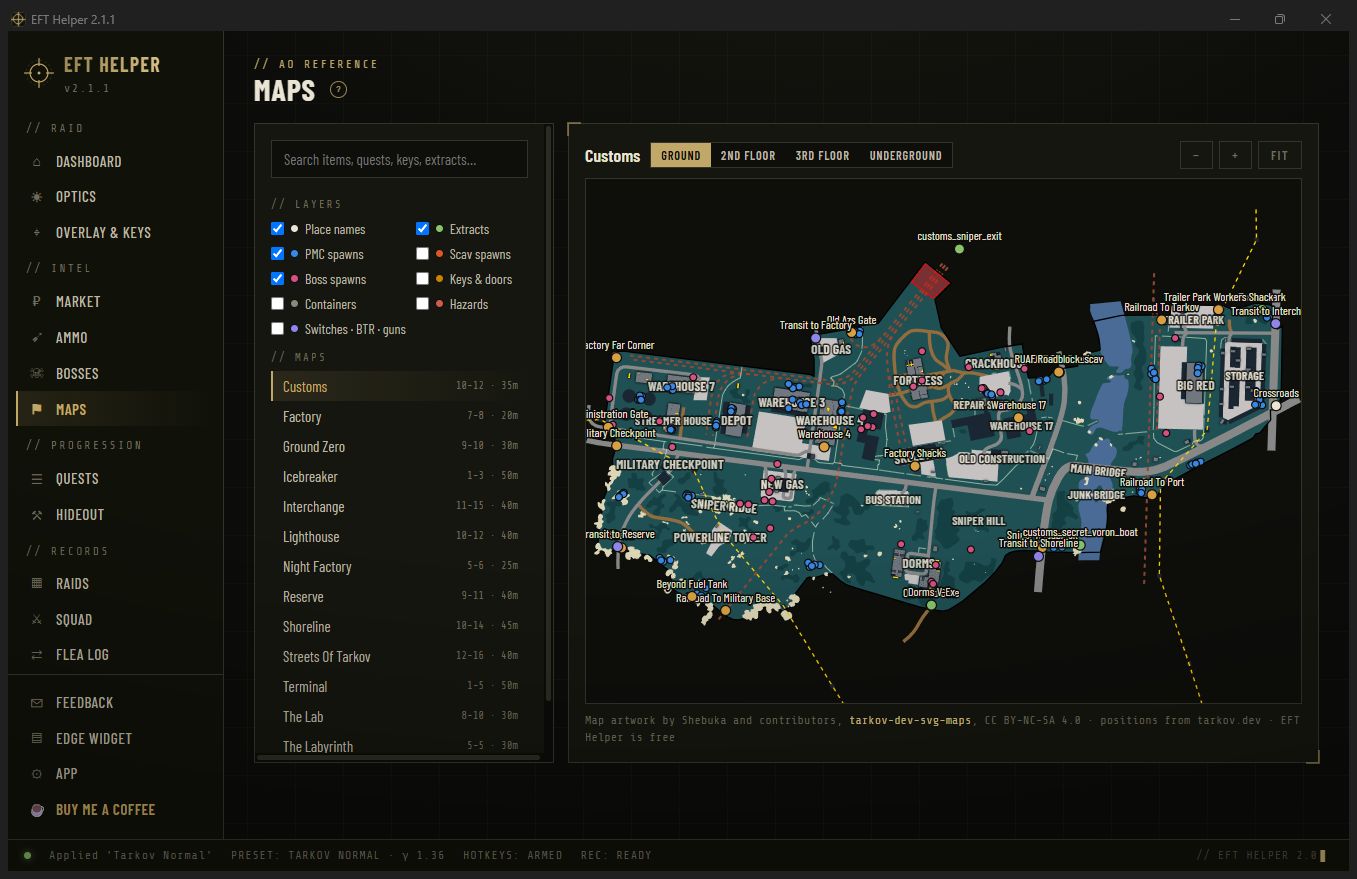
Thirteen maps rendered in-app, floors included. Search an item, a key or a quest and its spawn points light up on the right map and the right floor. Extracts by side, boss and scav spawns, locked doors with the key that opens them.
- Layer toggles for extracts, spawns, locks, containers and hazards
- Place names at the zoom level they help at, not a wall of labels
- Lab, Labyrinth and Icebreaker stream their tiles once and stay on disk
Crafts that actually make money at your levels
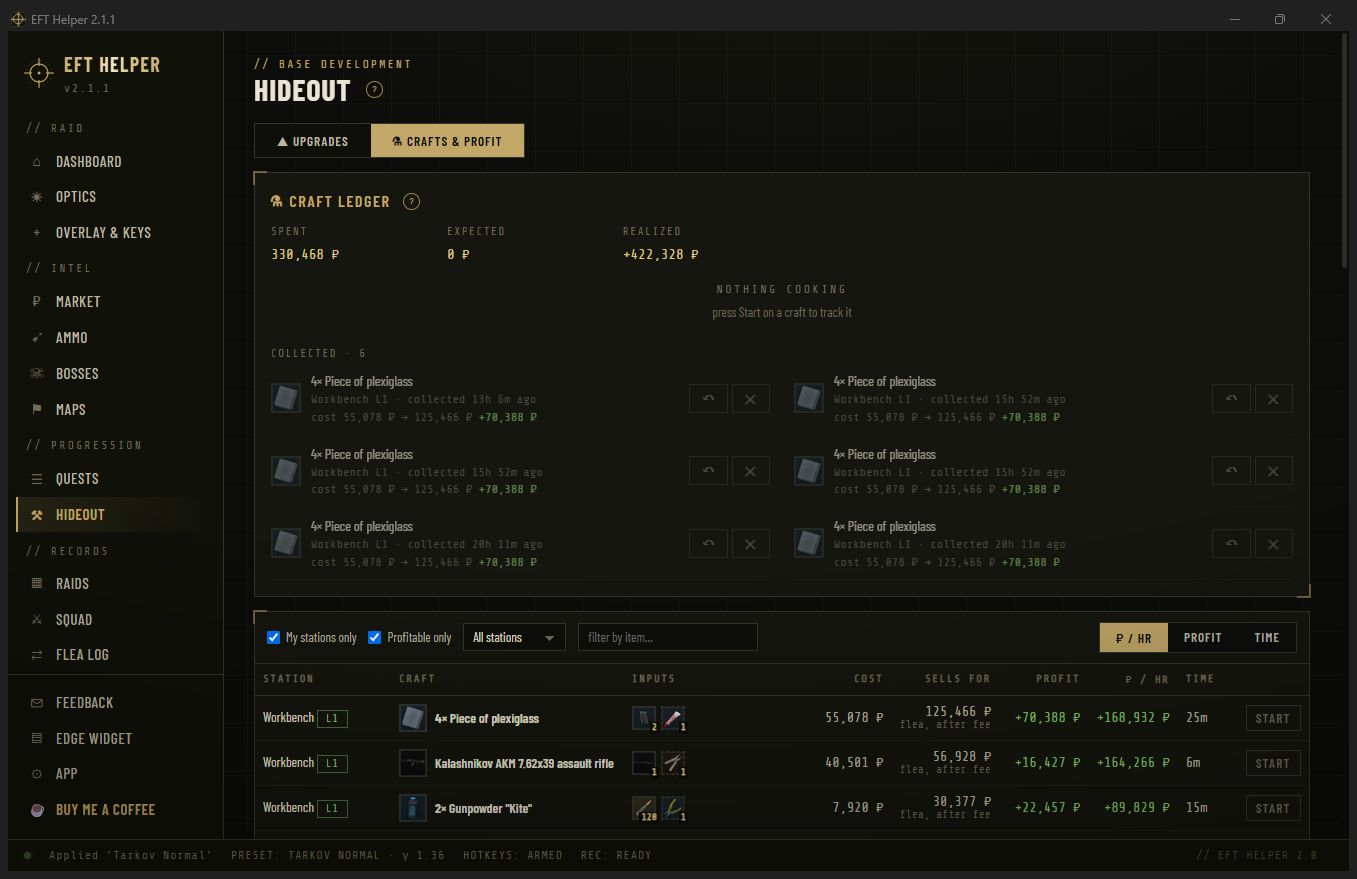
Mark the station levels you have built. The app prices every craft's inputs at the flea, values the output after the flea fee, and ranks what is worth starting right now, per hour of station time. Start a craft from the list and the ledger remembers what it cost that day.
- Upgrade requirements for every station, FIR-tagged
- Profit per hour, not just profit, so 14-hour crafts don't hog the list
- Dashboard shortlist of the best crafts to start before your next raid
See in the dark without touching the monitor
Where the app started. Presets for gamma, brightness, contrast, warmth and dim, per monitor, each on its own hotkey. Press F8 in the raid for a draggable panel with live sliders. Hotkeys can be gated to fire only while Tarkov has focus, so your other games keep their keys.
- Night Factory preset on one key, back to normal on another
- Overlay over borderless Tarkov, with your favourites and shopping list a tap away
- Xeneon Edge widget for CORSAIR's touch bar, if you have one
The whole kit
Prices with context
Flea and best trader, 24h and 7d trend, and every quest, barter, craft and hideout upgrade the item feeds.
Penetration you can read
195 rounds, armour-class blocks, damage and pen in large type. Green beats it, amber is a coin flip.
Target dossiers
Spawn maps and odds, health by body part, guards and gear, and the rounds that one-tap the head.
Hand-in shopping list
500+ quests by trader with requires and unlocks chains. Mark done and the prerequisites cascade.
Request it, vote on it, report it
A public feature board and a bug board, no account. The same boards live inside the app, both directions.
One click to the next version
The app checks on launch and installs in one click. Your presets, hotkeys and history stay put.
Your setup in one file
Export presets, hotkeys, favourites and quest progress; restore them on a new PC.
Mission control
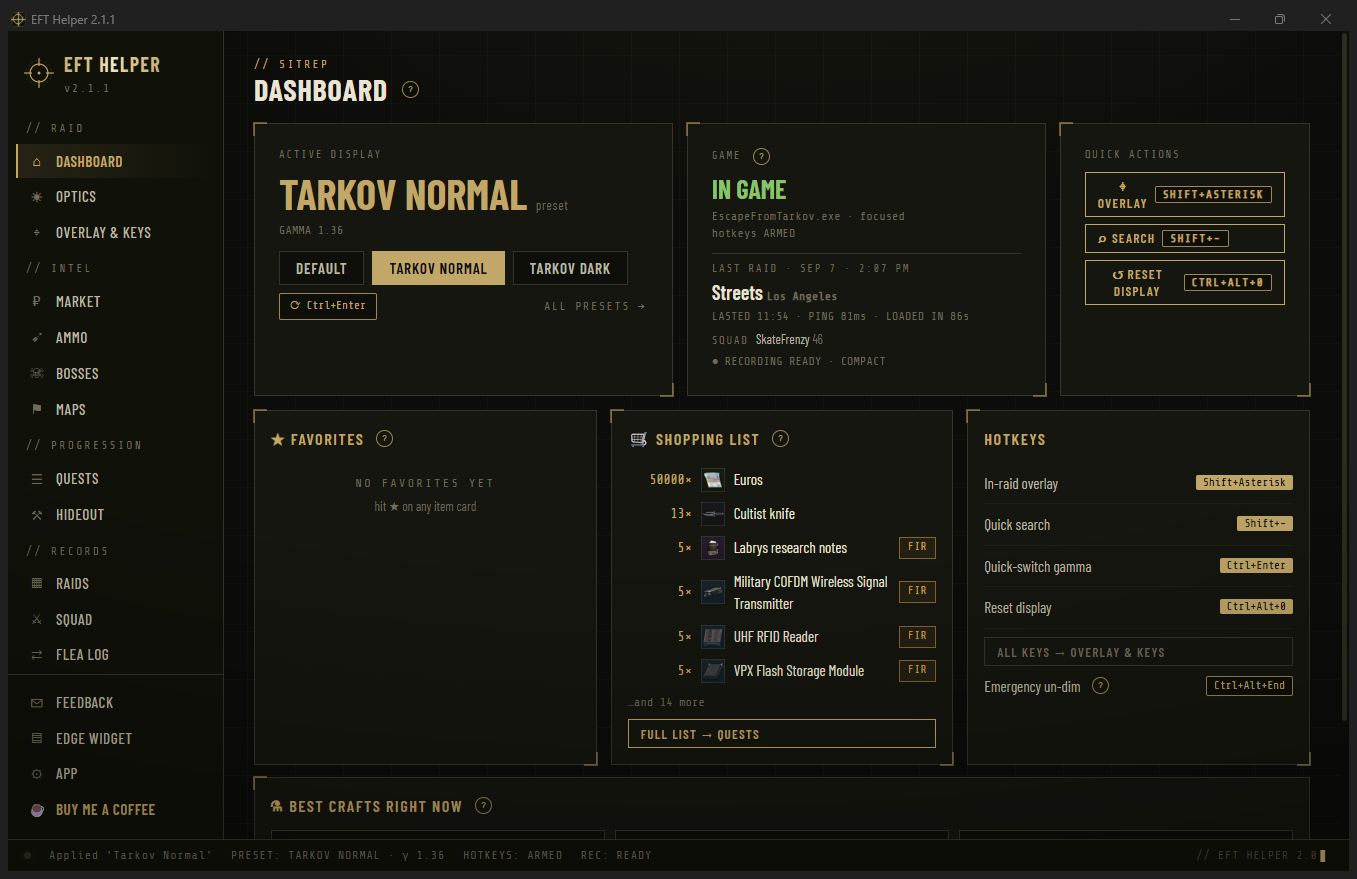
What is applied to your display, whether Tarkov is running, your last raid, favourites and the shopping list.
Log files. Read-only. That's the whole trick.
Tarkov writes plain-text logs about matching, lobbies, raid start and end, flea mail and quest events. EFT Helper tails those files the way a text editor would. It never reads game memory, never injects anything, never draws positions over the game, and never sends anything anywhere.
The in-raid overlay shows your own display settings and the item card you searched for, and nothing about the raid you are in.
No ads, no accounts, no paid tier. Ever.
EFT Helper is one person's side project. Hosting and the price data it depends on cost real money every month. If the app saved you a raid or a hideout budget, a coffee keeps the updates coming.
Sixty seconds, no admin
Download
EFTHelperSetup.exe, about 70 MB with the recorder's FFmpeg bundled. Installs per user.
Run it
SmartScreen may object because the app isn't code-signed. More info, Run anyway.
Set Tarkov to borderless
Exclusive fullscreen resets gamma and blocks overlays. Borderless keeps both.
Press F10 in a raid
That is quick search. The Raids page fills in from your logs on first launch; turn the recorder on when you want video.